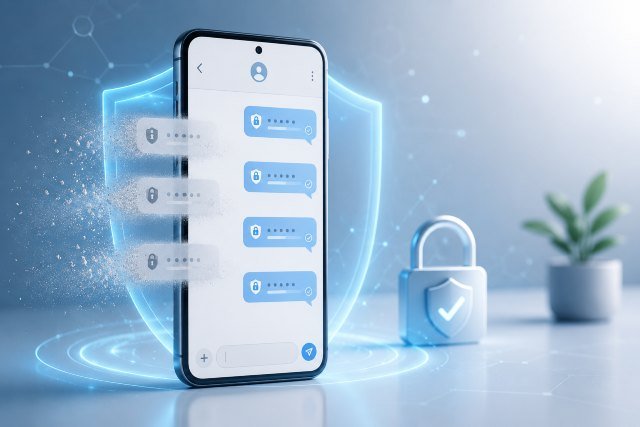
Auto Delete OTPs is a simple but powerful feature that helps keep your text messages cleaner and more secure by removing one-time passwords after they are no longer useful. If your inbox is full of bank login codes, app verification messages, delivery confirmations, and password reset codes, this feature can save time, reduce clutter, and lower the chance of sensitive codes sitting around in your messages.
- What Does Auto Delete OTPs Mean?
- Why Auto Delete OTPs Matters for Mobile Security
- How Auto Delete OTPs Works on iPhone
- How Auto Delete OTPs Works on Android
- Auto Delete OTPs and Two-Factor Authentication
- Benefits of Auto Delete OTPs
- Is Auto Delete OTPs Safe to Use?
- Auto Delete OTPs on iPhone vs Android
- How to Turn On Auto Delete OTPs on iPhone
- How to Turn On Auto Delete OTPs on Android
- Best Practices for Managing OTP Messages
- Common Problems with Auto Delete OTPs
- Should You Enable Auto Delete OTPs?
- Conclusion
One-time passwords are usually temporary. They are designed to confirm your identity during sign-ins, payments, account recovery, or two-factor authentication. But once used, they often remain in your SMS inbox or email app for days, weeks, or even months.
That may not seem dangerous at first. However, old verification codes can reveal which banks, apps, wallets, shopping platforms, and services you use. If someone gets physical access to your phone, screenshots your inbox, or compromises your messaging account, these old messages may expose more about your digital life than you realize.
Modern phones now offer ways to automatically remove these short-lived codes. Apple lets iPhone users turn on “Delete After Use” for verification codes, while Google Messages on Android has offered an option to auto-delete OTPs after 24 hours in supported regions and versions. Apple’s official support page explains that verification codes can be deleted automatically after they are filled using AutoFill.
What Does Auto Delete OTPs Mean?
Auto Delete OTPs means your phone or messaging app automatically removes one-time password messages after a certain condition is met. On some devices, the code may be deleted after you use it with AutoFill. On others, the message may be removed after a fixed time, such as 24 hours.
An OTP, or one-time password, is a short code usually sent by SMS, email, or an authenticator system. It is often used for account login, bank verification, password resets, device approvals, and online purchases.
The goal of automatic OTP deletion is simple: keep temporary codes temporary.
Instead of letting old verification messages pile up in your inbox, the system removes them when they are no longer needed. This improves message organization and can also reduce the amount of sensitive information stored on your device.
Why Auto Delete OTPs Matters for Mobile Security
Many users treat OTP messages as harmless because the codes expire quickly. That is partly true. Most OTPs stop working after a short period. However, the message itself can still reveal useful information to scammers or attackers.
For example, an old OTP message may show that you use a specific bank, crypto exchange, payment app, school portal, work platform, or shopping account. A scammer can use that information to create more believable phishing messages later.
The Federal Trade Commission warns consumers not to share verification codes with anyone because scammers often use fake stories to trick people into giving away codes. This means the problem is not only the code itself. The bigger issue is how criminals use verification messages as part of social engineering.
Auto Delete OTPs helps reduce that exposure. It does not replace strong passwords, passkeys, authenticator apps, or careful online behavior, but it removes unnecessary digital traces from your inbox.
How Auto Delete OTPs Works on iPhone
On iPhone, Apple offers a feature that can automatically delete one-time verification codes after they are used with AutoFill. According to Apple’s official support instructions, users can go to the Settings app, open General, then Autofill & Passwords, and turn “Delete After Use” on or off under Verification Codes.
This feature is useful because many iPhone users receive verification codes in both Messages and Mail. When the code appears above the keyboard and you tap it to fill it into an app or website, iOS can remove the code afterward if the setting is enabled.
The important detail is that deletion is tied to the verification code being filled automatically. If you manually copy a code, type it into another device, or use it in a way that AutoFill does not recognize, the behavior may not always be the same.
For users who regularly sign in on a laptop while receiving the OTP on their iPhone, this matters. The code might stay in the inbox if iOS does not detect that it was used through AutoFill.
How Auto Delete OTPs Works on Android
On Android, the most common option is inside Google Messages. In supported versions, users can enable a setting that auto-deletes OTPs after 24 hours. Android Central describes the process as opening Google Messages, going into Messages settings, finding Message organization, and enabling “Auto-delete OTPs after 24 hours.”
The exact setting may vary depending on your region, device, Google Messages version, and whether message organization features are available in your country. Some users may see the option clearly, while others may not find it in their settings.
This feature is helpful for Android users who receive frequent login codes from banks, apps, delivery services, telecom providers, and online platforms. Instead of manually deleting these messages one by one, the app removes OTPs after the selected period.
However, users should still check important messages before relying fully on automation. Some transactional messages may include useful account details, delivery references, or support information along with the OTP. If the app classifies them as OTP messages, they may be removed later.
Auto Delete OTPs and Two-Factor Authentication
Auto Delete OTPs is closely connected to two-factor authentication, also called 2FA. With 2FA, you use something in addition to your password to prove your identity. That second factor may be a text code, email code, authenticator app code, push approval, security key, or passkey.
SMS OTPs are popular because they are easy to use. Almost everyone understands how to receive a text message and type in a code. But SMS is not the strongest form of authentication because phone numbers can be targeted through SIM swap attacks, phishing, number porting fraud, and message interception.
NIST’s Digital Identity Guidelines discuss authentication methods and assurance levels, including the role and limitations of different authenticators. The newer NIST SP 800-63B-4 guideline focuses on digital authentication and authenticator lifecycle recommendations.
For everyday users, the practical lesson is clear. Auto Delete OTPs is a good cleanup and privacy feature, but it should not be your only security measure. For high-value accounts, authenticator apps, passkeys, hardware security keys, and strong account recovery settings may provide better protection than SMS alone.
Benefits of Auto Delete OTPs
The first benefit is a cleaner inbox. OTP messages arrive constantly if you shop online, use banking apps, log in to social media, reset passwords, or manage work tools. Over time, these messages make it harder to find real conversations.
The second benefit is better privacy. Old OTP messages may show which services you use and when you tried to access them. Removing them reduces the amount of personal account activity stored in your messages.
The third benefit is less manual work. Many people forget to delete verification messages. Auto Delete OTPs handles cleanup automatically, which is especially useful for users who receive several codes every week.
The fourth benefit is reduced risk during phone sharing or repair. If you hand your phone to someone for troubleshooting, screenshots, screen sharing, or repair, fewer old verification messages remain visible.
The fifth benefit is better digital hygiene. Security is not only about installing antivirus apps or using complex passwords. It is also about reducing unnecessary data, old messages, and weak points that can be exploited later.
Is Auto Delete OTPs Safe to Use?
For most users, Auto Delete OTPs is safe and useful. OTPs are usually temporary, and once a code expires or has been used, keeping it rarely provides value.
However, there are a few situations where you should be careful. Some OTP messages include transaction IDs, appointment references, order details, or customer support information. If those details matter, deleting the entire message may remove something you wanted to keep.
This is why it is smart to review how your phone handles OTP cleanup. Turn the feature on, use it for a few days, and check whether it deletes only the messages you expect. If important messages disappear, you may need to adjust your habits or save important information elsewhere before the OTP is removed.
Also, remember that auto-delete does not stop scams in real time. If a scammer tricks you into sharing a code immediately, deleting the message later will not undo the damage. The FTC advises users to report spam texts, use reporting tools inside messaging apps, and forward suspicious texts to 7726 where supported.
Auto Delete OTPs on iPhone vs Android
The biggest difference is how deletion is triggered. On iPhone, Apple’s feature is connected to verification codes filled using AutoFill. On Android with Google Messages, the feature commonly works by deleting OTP messages after 24 hours, where available.
This means iPhone users may see codes disappear after use, while Android users may see them remain briefly and then get removed later. Both approaches are useful, but they behave differently.
Another difference is availability. Apple’s feature is part of iOS settings for supported devices and versions. Google Messages features can depend on region, app version, and message organization support. Some Android phones also ship with different default messaging apps, so the option may not appear unless Google Messages is installed and set as the default SMS app.
How to Turn On Auto Delete OTPs on iPhone
To enable Auto Delete OTPs on iPhone, open the Settings app and go to General. From there, open Autofill & Passwords. Under Verification Codes, turn on Delete After Use.
Once enabled, iPhone can remove verification codes after they are entered using AutoFill. This keeps your Messages and Mail cleaner when you regularly sign in to apps, websites, banking portals, or work accounts.
If the feature does not seem to work, check whether your iPhone is updated, whether you are using AutoFill to enter the code, and whether the code came through a supported app. If you manually type the code into another device, the message may not always be deleted automatically.
How to Turn On Auto Delete OTPs on Android
To enable Auto Delete OTPs on Android, open Google Messages. Tap your profile icon or account image, then open Messages settings. Look for Message organization and turn on Auto-delete OTPs after 24 hours.
If you do not see the option, update Google Messages from the Play Store and check again. You may also need to set Google Messages as your default SMS app. Availability can still vary by region and device.
After enabling the feature, keep an eye on your inbox for a few days. Make sure only unwanted OTP messages are being removed. If your phone receives important banking or work messages that include codes and useful details together, save the important details separately.
Best Practices for Managing OTP Messages
Auto Delete OTPs works best when combined with smart security habits. Never share a verification code with anyone, even if the person claims to be from your bank, mobile provider, delivery company, employer, or a government office. Real support teams should not ask you to read out a login code that was sent to your phone.
Use stronger authentication where possible. For important accounts, consider passkeys, authenticator apps, or security keys instead of SMS codes alone. SMS OTPs are convenient, but they depend on your phone number, and phone numbers can be targeted.
Keep your device locked with a strong PIN, biometric protection, and updated software. Auto-delete is helpful, but it cannot protect your inbox if your phone has no lock screen or if someone already knows your passcode.
Review your message backups. If your SMS messages are backed up to cloud services, old OTPs may remain in backups even after being deleted locally. This does not mean you should avoid backups, but it does mean you should secure your cloud account with strong authentication.
Be careful with notification previews. If OTPs appear on your lock screen, someone nearby may see them without opening your phone. Turn off sensitive lock screen previews if you often receive financial or work-related codes.
Common Problems with Auto Delete OTPs
One common problem is that the setting does not appear. This usually happens because the phone, app version, region, or default messaging app does not support it yet.
Another issue is that codes are not deleted instantly. On Android, the feature may delete OTPs after a set time, such as 24 hours. On iPhone, deletion may depend on whether the code was used through AutoFill.
A third issue is accidental deletion of messages that contain useful information. This is why users should avoid relying on SMS messages as long-term storage for receipts, order numbers, or account details.
Some users also expect Auto Delete OTPs to protect them from phishing. It helps reduce stored clutter, but it does not judge whether a code request is legitimate. If someone asks you to send them an OTP, treat that as a major warning sign.
Should You Enable Auto Delete OTPs?
Yes, most users should enable Auto Delete OTPs if their phone supports it. It is especially useful if you receive frequent login codes from banks, payment apps, email accounts, shopping sites, delivery apps, or work tools.
The feature is not perfect, and it should not replace careful behavior. You still need to avoid sharing verification codes, keep your phone secure, use strong passwords, and upgrade to stronger authentication methods when possible.
For everyday message cleanup and basic privacy, however, Auto Delete OTPs is one of the easiest settings to turn on.
Conclusion
Auto Delete OTPs is a practical feature for anyone who wants a cleaner inbox and better mobile privacy. OTP messages are meant to be temporary, so letting them sit in your messages for months does not make much sense. Whether you use iPhone’s Delete After Use option or Android’s auto-delete OTP setting in Google Messages, this small change can improve your digital hygiene with very little effort.
The key is to use it wisely. Enable the feature, check how it behaves on your device, save important non-code details somewhere safe, and never share verification codes with anyone. Auto Delete OTPs will not solve every security problem, but it is a smart step toward keeping your messages clean, private, and easier to manage.