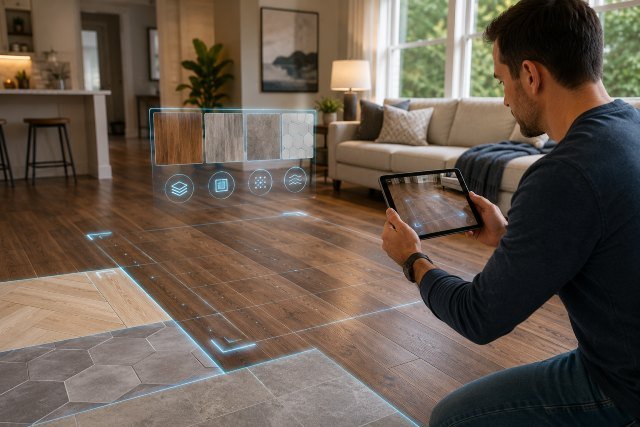
Gen AI Image Analyzer to Answer Questions Flooring is becoming a useful tool for American homeowners who want quick guidance before repairing, replacing, or upgrading their floors. Instead of guessing what a stain, scratch, gap, or uneven surface means, a homeowner can upload a floor photo and ask an AI tool for possible explanations.
- What Is a Gen AI Image Analyzer for Flooring?
- How Gen AI Image Analyzer to Answer Questions Flooring Helps Homeowners
- Common Flooring Questions AI Can Help Answer
- Why Photos Alone Cannot Tell the Full Story
- How to Take Better Flooring Photos for AI Analysis
- Best Prompts to Ask an AI Flooring Analyzer
- Flooring Materials AI May Identify
- Using AI for Flooring Damage Questions
- AI and Flooring Design Decisions
- Privacy Tips Before Uploading Floor Photos
- When to Call a Professional Instead of Trusting AI
- Real-World Example: Water Stain Near a Refrigerator
- Real-World Example: Cracked Tile in a Hallway
- Best Practices for Safe AI Flooring Advice
- FAQ: Gen AI Image Analyzer to Answer Questions Flooring
- Conclusion
This does not mean AI can replace a flooring contractor, home inspector, or structural expert. It simply gives homeowners a smarter starting point. When used carefully, AI image analysis can help you understand flooring materials, spot visible warning signs, prepare better questions for professionals, and avoid rushed decisions.
For homeowners in the United States, flooring is more than a design choice. It affects comfort, resale value, safety, cleaning, indoor air quality, and long-term maintenance. A small water stain near a baseboard may be harmless, or it may point to a leak. A gap in hardwood flooring may be seasonal movement, or it may suggest moisture imbalance. AI can help organize these possibilities, but the final decision should still rely on expert inspection when the issue is serious.
What Is a Gen AI Image Analyzer for Flooring?
A generative AI image analyzer is a tool that reviews an uploaded image and responds to questions about what it sees. In flooring, this may include identifying visible floor types, surface damage, discoloration, stains, scratches, warping, tile cracks, grout problems, or installation concerns.
For example, a homeowner might upload a photo of a kitchen floor and ask, “Is this laminate, vinyl, or hardwood?” Another person might upload a picture of a dark patch near a bathroom door and ask, “Could this be water damage?” The AI can give a likely explanation based on visible clues.
The important word is “likely.” AI does not physically test moisture, check the subfloor, smell mold, measure floor slope, or inspect underlayment. It only reviews the image and the information you provide. That makes it helpful for early research, but not enough for final repair decisions.
NIST describes trustworthy AI as requiring attention to reliability, safety, security, resilience, accountability, and transparency, which is a useful mindset for homeowners using AI tools for home decisions.
How Gen AI Image Analyzer to Answer Questions Flooring Helps Homeowners
A Gen AI Image Analyzer to Answer Questions Flooring tool can help in several practical ways. It can identify common flooring types, explain visible damage, suggest possible causes, and help homeowners decide whether a simple DIY fix is reasonable or whether a professional should inspect the area.
One of the biggest benefits is clarity. Many homeowners search online using vague descriptions like “brown mark on wood floor” or “tile crack near wall.” That can lead to confusing results. With an image-based tool, the homeowner can ask more specific questions based on the actual floor condition.
It can also help with communication. Before calling a contractor, you can use AI to create a short description of the problem. Instead of saying, “My floor looks weird,” you might say, “There is cupping along three hardwood boards near an exterior door, possibly related to moisture.” That kind of detail can help a flooring professional understand the situation faster.
Common Flooring Questions AI Can Help Answer
Homeowners often use AI flooring analysis for everyday questions. These may include whether a floor looks like hardwood, engineered wood, laminate, vinyl plank, ceramic tile, porcelain tile, stone, or carpet. AI may also help explain visible scratches, dull finish, gaps, stains, buckling, cracked tiles, loose grout, or uneven transitions.
For hardwood, AI might point out signs of cupping, crowning, surface scratches, fading, or finish wear. For vinyl plank, it may notice lifting edges, separated seams, dents, or discoloration. For tile, it may identify cracked grout, chipped corners, uneven spacing, or possible movement beneath the tile.
The best use is not asking AI for a final diagnosis. The better question is, “What are the possible causes of this flooring issue, and what should I check next?” That approach keeps expectations realistic.
Why Photos Alone Cannot Tell the Full Story
Flooring problems often involve hidden conditions. A photo can show a stain, but it cannot confirm whether moisture is still active. A cracked tile may be caused by impact, poor installation, subfloor movement, or foundation settling. A raised vinyl plank may be caused by heat, moisture, adhesive failure, or expansion pressure.
This is why homeowners should treat AI answers as educational guidance. If the issue involves water, mold suspicion, electrical hazards, major unevenness, structural movement, or repeated cracking, a professional inspection is the safer choice.
Indoor air quality is another area where homeowners should be careful. The EPA notes that volatile organic compounds, or VOCs, can be found at higher levels indoors than outdoors, and many household products and materials can contribute to indoor VOC levels. This matters when choosing flooring, adhesives, finishes, and cleaners, especially in homes with children, older adults, or people with allergies.
How to Take Better Flooring Photos for AI Analysis
The quality of the photo strongly affects the answer. A blurry, dark, or close-up-only image can lead to weak results. Homeowners should take photos in natural light when possible and avoid heavy shadows. A wide photo helps the AI understand the room context, while a close-up photo helps show the actual damage.
For best results, include more than one angle. Take one photo from standing height, one close-up of the issue, and one photo showing the nearby wall, baseboard, door, appliance, or window. These details can matter because flooring problems often connect to moisture sources, sunlight exposure, transitions, or heavy traffic patterns.
You should also describe what the image cannot show. Mention when the issue started, whether the floor feels soft, whether there was a leak, whether the area smells musty, and whether the problem is spreading. AI works better when the photo and your written context support each other.
Best Prompts to Ask an AI Flooring Analyzer
A strong prompt gives the AI a clear task. Instead of asking, “What is wrong with my floor?” ask a more focused question.
You can ask: “Based on this image, what type of flooring does this appear to be, and what visual clues support that?” You can also ask: “What are the most likely causes of this stain, and what should I check before calling a contractor?” Another useful prompt is: “Does this look like normal wear, water damage, installation failure, or something that needs professional inspection?”
For remodeling, you might ask: “What flooring options would match this room style and be practical for pets and kids?” For maintenance, ask: “What cleaning method is safest for a floor that looks like this material?”
The key is to ask for possibilities, not certainty. A good AI response should explain what it sees, what it cannot confirm, and what next step makes sense.
Flooring Materials AI May Identify
AI can often recognize broad flooring categories from appearance. Hardwood usually shows natural grain variation, board seams, and a finish layer. Engineered wood may look similar but often has a more uniform plank structure. Laminate may show repeated grain patterns, while luxury vinyl plank often has printed wood visuals with waterproof marketing appeal.
Tile floors may show grout lines, surface texture, and hard edges. Stone may have natural veining or irregular patterns. Carpet can be assessed for stains, wear paths, matting, or color changes.
Still, image recognition has limits. Some luxury vinyl looks very similar to wood. Some porcelain tile mimics marble or stone. Some laminate products closely copy hardwood grain. If the exact material matters, check leftover boxes, receipts, manufacturer markings, floor vents, closet edges, or ask a flooring professional.
Using AI for Flooring Damage Questions
AI is especially useful for visible damage triage. It can help homeowners separate cosmetic issues from possible warning signs.
Surface scratches on hardwood may only need cleaning, buffing, a repair marker, or refinishing. Deeper gouges may need board repair. White cloudy spots may suggest moisture trapped in the finish. Dark stains may suggest deeper penetration, pet stains, or water exposure.
For tile, a single chip may be cosmetic, but multiple cracks in a line may suggest movement below the tile. For vinyl plank, lifted seams may suggest expansion issues, moisture, poor installation, or product failure. For carpet, dark edges may suggest filtration soiling, while damp spots need quick attention.
The best AI answer should help you decide what to inspect next. It should not pressure you into buying products or starting repairs without understanding the cause.
AI and Flooring Design Decisions
A Gen AI flooring tool can also help with design planning. Homeowners can upload room photos and ask what floor colors, plank widths, or textures might match the space. This can be helpful when choosing between oak-look vinyl, warm engineered hardwood, neutral tile, or carpet.
AI may suggest that a small room needs lighter flooring to feel open, or that a busy kitchen might benefit from durable, water-resistant flooring. It may also help compare modern farmhouse, coastal, traditional, minimalist, or transitional design styles.
However, design advice should still consider real-world needs. A beautiful floor may not be the best choice for pets, wheelchairs, wet entryways, rental properties, or high-traffic family homes. The right floor is a balance of style, durability, maintenance, budget, and installation conditions.
Privacy Tips Before Uploading Floor Photos
Before using any AI image analyzer, homeowners should think about privacy. Floor photos can accidentally reveal personal details such as family pictures, mail, addresses, children, security systems, or expensive belongings. Crop the image before uploading when possible.
The FTC has warned that companies should be clear about how they collect and use customer data, including in AI-related services. This is important because an image uploaded for flooring advice may still contain personal home information.
Read the tool’s privacy policy before uploading sensitive images. Avoid uploading photos that show people, documents, house numbers, alarm panels, or private rooms unless necessary. For most flooring questions, a cropped floor-only image is enough.
When to Call a Professional Instead of Trusting AI
AI can help you understand what might be happening, but some situations need professional help. Call a flooring contractor, plumber, mold remediation specialist, structural engineer, or home inspector when the problem involves active water, mold suspicion, soft flooring, sagging, major cracks, repeated tile failure, or strong odors.
Water damage should be taken seriously. A surface stain may be minor, but moisture under flooring can affect subfloors, walls, adhesives, and indoor air quality. If the floor feels spongy, smells musty, or keeps getting worse, do not rely only on AI.
You should also call a professional before major repairs. Replacing planks, removing tile, sanding hardwood, or applying coatings can become expensive if the root cause is not fixed first.
Real-World Example: Water Stain Near a Refrigerator
Imagine a homeowner uploads a photo of a dark stain near the refrigerator. The AI might say the stain could be water damage, finish discoloration, pet staining, or dirt buildup. It may suggest checking the refrigerator water line, ice maker connection, nearby baseboard, and whether the floor feels raised or soft.
That is helpful because it gives the homeowner a practical checklist. But the AI cannot confirm whether water is still leaking. The homeowner should inspect the appliance connection, dry the area, monitor the stain, and contact a plumber or flooring professional if moisture continues.
This is the right way to use AI: not as a final answer, but as a smart first step.
Real-World Example: Cracked Tile in a Hallway
A homeowner uploads a picture of two cracked tiles in a hallway. AI may suggest possible causes such as impact damage, hollow spots, subfloor movement, poor mortar coverage, or foundation movement.
If only one tile is cracked after something heavy fell, the repair may be simple. If several tiles are cracking in a pattern, the issue may be deeper. The homeowner can tap nearby tiles, check whether cracks are spreading, and call a tile contractor if the pattern suggests movement.
AI helps the homeowner ask better questions: “Is this just a cracked tile, or is my subfloor moving?”
Best Practices for Safe AI Flooring Advice
Use AI as a learning tool, not a contractor replacement. Ask for explanations, possible causes, warning signs, and next steps. Compare the AI answer with manufacturer care instructions, professional advice, and trusted home improvement sources.
Be careful with product recommendations. Some AI tools may suggest cleaners, sealers, adhesives, or repair kits that are not suitable for your floor type. Using the wrong cleaner on hardwood, vinyl, stone, or laminate can cause permanent damage.
Also avoid giving AI too little context. A photo plus a short history of the issue produces a better answer than a photo alone. Mention pets, leaks, recent installation, cleaning products used, and whether the problem changed over time.
FAQ: Gen AI Image Analyzer to Answer Questions Flooring
Can AI identify my flooring type from a photo?
AI can often make a reasonable guess based on visual clues such as grain pattern, grout lines, plank shape, texture, and finish. However, it may confuse similar materials like luxury vinyl, laminate, engineered wood, and real hardwood. For certainty, check product records or ask a flooring professional.
Can AI tell if my floor has water damage?
AI can point out visible signs that may suggest water damage, such as stains, cupping, swelling, dark patches, lifted seams, or warped boards. It cannot measure moisture or inspect beneath the surface. If the area feels soft, smells musty, or keeps spreading, get a professional inspection.
Is it safe to upload floor photos to an AI tool?
It can be safe if you crop out private details and use a reputable tool with clear privacy practices. Avoid uploading photos that show addresses, people, documents, security systems, or personal belongings.
Can AI help me choose new flooring?
Yes, AI can help compare colors, styles, room layouts, and material options. Still, your final choice should consider budget, moisture exposure, pets, children, cleaning needs, and installation requirements.
Conclusion
Gen AI Image Analyzer to Answer Questions Flooring can be a valuable tool for American homeowners who want faster, clearer, and more practical flooring guidance. It can help identify visible floor types, explain possible damage, suggest maintenance steps, and prepare better questions for contractors.
The smartest approach is to use AI as a first layer of understanding. Let it help you notice patterns, learn flooring terms, and organize your next steps. But when the issue involves water, mold, structural movement, major cracks, or expensive repairs, bring in a qualified professional.
Used wisely, AI can make homeowners more informed, more confident, and less likely to make costly flooring mistakes.