Many people search for How to See Private Instagram Accounts because they want to view someone’s photos, stories, reels, or followers without being approved first. The honest answer is simple: Instagram private accounts are designed so only approved followers can see most private content. There is no legitimate “secret viewer” that can safely unlock a private profile for you.
- What Does a Private Instagram Account Mean?
- How to See Private Instagram Accounts Safely
- What Can You See Without Following a Private Instagram Account?
- Why Private Instagram Viewer Tools Are Risky
- Can Apps Really Show Private Instagram Profiles?
- Ethical Ways to Connect With a Private Instagram User
- What About Viewing Stories, Reels, or Followers?
- Real-World Scenario: When Curiosity Becomes a Risk
- How to Protect Your Own Instagram Privacy
- Is It Legal to View Private Instagram Accounts?
- Common Questions About How to See Private Instagram Accounts
- Final Thoughts on How to See Private Instagram Accounts
That does not mean users have no options. It means the right options must respect privacy, consent, platform rules, and your own online safety. If someone has made their Instagram account private, they are choosing to limit who can view their posts and stories. Instagram’s own Help Center explains that private accounts allow only approved followers to see shared content, while some basic profile information may still remain visible.
This article explains what private Instagram accounts mean, what you can and cannot see, safe ways to connect with someone, and why “private Instagram viewer” websites are usually risky.
What Does a Private Instagram Account Mean?
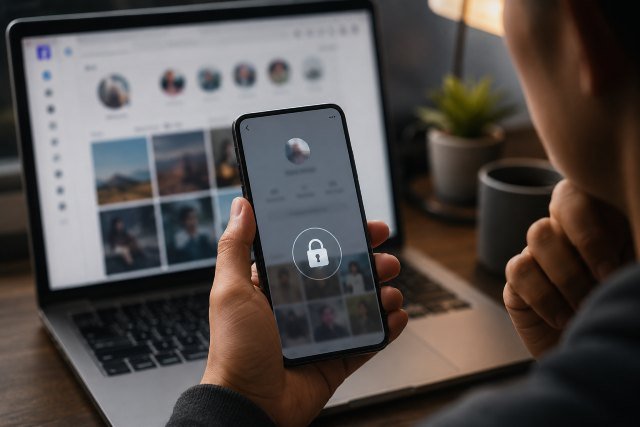
A private Instagram account is an account where the owner controls who can see their content. When someone switches from public to private, their posts, reels, stories, follower list visibility, and other activity become limited to people they approve as followers.
Instagram says users can make their account private through Account Privacy settings, and once the account is private, only approved followers can see the user’s private photos and videos.
This privacy setting is important because Instagram is not only a photo-sharing app. People use it for personal memories, family updates, private friendships, school life, work networks, and sensitive life moments. A private profile is often a user’s way of saying, “I only want certain people to see this.”
So when someone asks how to see private Instagram accounts, the safest and most ethical answer is not about hacking, bypassing, or using spy tools. It is about understanding what is allowed and how to connect in a normal, respectful way.
How to See Private Instagram Accounts Safely
The safest way to see a private Instagram account is to send a follow request and wait for the person to approve it. This is the method Instagram itself provides. If the person accepts your request, you can view the content they share with followers.
A good follow request works best when your own profile looks real and trustworthy. Use your actual name or a recognizable username, add a clear profile photo if appropriate, and avoid looking like a spam account. If the person does not recognize you, you can send a polite message explaining who you are and why you are connecting.
For example, if you met someone at an event, you might write something natural like, “Hi, we met at the marketing workshop yesterday. I wanted to connect here too.” That feels normal, respectful, and transparent.
What you should not do is create a fake account to trick someone into accepting you. That can damage trust and may violate platform rules depending on how it is used. It also creates a poor digital footprint. If someone has chosen privacy, pretending to be someone else is not a smart or ethical way to get access.
What Can You See Without Following a Private Instagram Account?
Even when an Instagram account is private, some profile details may still be visible. Instagram notes that anyone may be able to see basic profile information such as the username, profile picture, bio, links, and follower or following counts.
This does not mean you can see their private posts, stories, reels, or close-friends content. Those areas are protected by the account’s privacy settings. You may only see limited public-facing details unless the person approves your follow request.
Sometimes, a private account owner may also appear in public places on Instagram. For example, their username might show in comments they leave on public posts, tags on public pages, or mutual interactions. However, this still does not unlock their private content. It only shows what is already publicly visible.
The difference matters. Looking at publicly available profile details is normal. Trying to bypass privacy settings is not.
Why Private Instagram Viewer Tools Are Risky
Many websites claim they can show private Instagram accounts without following. They may use phrases like “private Instagram viewer,” “view locked Instagram profiles,” “anonymous Instagram private account viewer,” or “no verification needed.” These claims are usually red flags.
Most of these tools cannot actually access private Instagram content. Instead, they often try to collect your information, push you into surveys, make you download suspicious apps, or ask for your Instagram login details. Giving your login details to a third-party tool can put your account, messages, contacts, and personal information at risk.
The FTC has repeatedly warned users about scams that begin on social media. In April 2026, the FTC reported that people lost $2.1 billion to scams that started on social media in 2025 alone, and advised users to limit what others can see and be cautious with online offers.
That warning applies strongly here. If a website promises access to private Instagram photos, it may be using curiosity as bait. The result could be stolen credentials, unwanted subscriptions, malware, or identity-related risks.
Can Apps Really Show Private Instagram Profiles?
In most cases, no legitimate app can show you private Instagram content without the account owner’s approval. Instagram’s private account system is built around permission. If an app claims it can override that permission, you should be skeptical.
Some apps may show cached public information, old public posts, search engine snippets, or content reposted somewhere else. But that is not the same as opening a private Instagram account. It only means some information was already public at some point or shared outside the account.
A useful rule is this: if Instagram itself does not show you the private posts, a random website should not be trusted to show them either.
You should also avoid logging into third-party tools with your Instagram username and password unless you are completely sure they are legitimate. Instagram gives users privacy and security controls through official settings, and Meta’s Privacy Center encourages users to manage privacy choices directly across Meta products.
Ethical Ways to Connect With a Private Instagram User
The best way to view a private account is to build trust. Send a follow request from your real account. Make sure your profile does not look suspicious. If needed, send a short message with context. Then respect the person’s choice.
If they accept, you can see what they share with followers. If they ignore or reject the request, do not pressure them. A private account is a boundary, not a puzzle to solve.
Another ethical option is to connect through mutual friends, but this should also be handled carefully. You can ask a mutual friend to introduce you, but you should not ask that friend to show you screenshots from the private account. That may violate the account owner’s trust.
If your reason is professional, such as contacting an influencer, creator, local business owner, or job candidate, use public contact methods instead. Many users include email links, website links, or business contact buttons on their profiles. If no public contact option is available, a respectful direct message is better than trying to view private content without permission.
What About Viewing Stories, Reels, or Followers?
For private Instagram accounts, stories and reels shared privately are generally visible only to approved followers. The same privacy principle applies to posts and other follower-only content.
Some users search for ways to see private Instagram followers or following lists. But if Instagram does not make that information visible to you, you should treat it as private. Trying to extract or scrape private relationship data is not only invasive, it can also expose you to unsafe tools.
There are legitimate things you can do. You can check the visible profile information, look for public links in the bio, review public comments if they appear naturally, or send a follow request. But there is no safe, recommended method to force access to private follower lists, private stories, or locked reels.
Real-World Scenario: When Curiosity Becomes a Risk
Imagine you find a private Instagram account and want to see whether it belongs to someone you know. You search online and find a “free private Instagram viewer.” The site asks you to enter the username. Then it claims the profile is available, but before showing anything, it asks you to complete a survey or download an app.
This is a common pattern. The site creates the feeling that access is only one step away. But the real goal may be to collect your data, push ads, install risky software, or get your login information.
A safer approach is simple. Check the username, bio, profile picture, and public links. If it seems like the right person, send a normal follow request. If the account does not respond, move on.
That may feel less exciting than a “viewer tool,” but it protects your privacy and respects theirs.
How to Protect Your Own Instagram Privacy
This topic also matters from the other side. If you are worried about strangers viewing your Instagram, you can improve your own privacy settings.
Instagram allows users to make their accounts private, manage who follows them, control comments, block accounts, turn off activity status, and review privacy settings.
You should also review connected apps and websites. Instagram provides settings for apps and websites connected to your account, including active, removed, and expired connections.
If you have ever entered your Instagram login into a suspicious “viewer” site, change your password immediately. You should also review your login activity, remove unknown connected apps, and enable two-factor authentication if available.
Privacy is not only about hiding posts. It is also about protecting your account from people and tools that may misuse your information.
Is It Legal to View Private Instagram Accounts?
Viewing content someone has approved you to see is normal. Viewing publicly available profile details is also normal. But trying to bypass privacy settings, impersonate another person, steal login credentials, or use unauthorized tools can create legal, ethical, and security problems.
Laws vary by country and situation, so this article should not be treated as legal advice. Still, the practical rule is clear: do not attempt to access private content without permission.
If you are dealing with harassment, impersonation, threats, or privacy violations, use Instagram’s official reporting tools. Instagram provides a privacy violation reporting process for users who need help with private content concerns.
Common Questions About How to See Private Instagram Accounts
Can I see a private Instagram account without following?
No legitimate method allows you to view someone’s private Instagram posts, stories, or reels without approval. You can only see limited public profile information unless the person accepts your follow request.
Are private Instagram viewer websites real?
Most private Instagram viewer websites are not trustworthy. They often use misleading claims to get clicks, surveys, downloads, or login details. Some may expose you to scams or account security risks.
Can I use a fake account to follow a private profile?
You should not use a fake identity to trick someone into accepting a request. It is better to use your real account and be transparent about who you are.
What if I only want to confirm someone’s identity?
Look at public-facing details such as profile photo, username, bio, links, and mutual connections. If you still need confirmation, send a polite message or follow request.
Can someone see my private Instagram account if they are not following me?
If your account is private, non-followers generally cannot see your private posts and videos. However, some basic profile information may still be visible, such as your username, profile picture, bio, and follower or following counts.
Final Thoughts on How to See Private Instagram Accounts
The safest answer to How to See Private Instagram Accounts is to respect the privacy setting and request access the right way. Send a follow request, use your real identity, and accept the user’s decision.
Private Instagram accounts exist for a reason. They give people control over who sees their personal content. Any website or app promising to bypass that control should be treated with caution.
For users, the best approach is simple: avoid private viewer tools, protect your login details, use official Instagram privacy settings, and connect with people honestly. That keeps your own account safer while respecting the privacy of others.