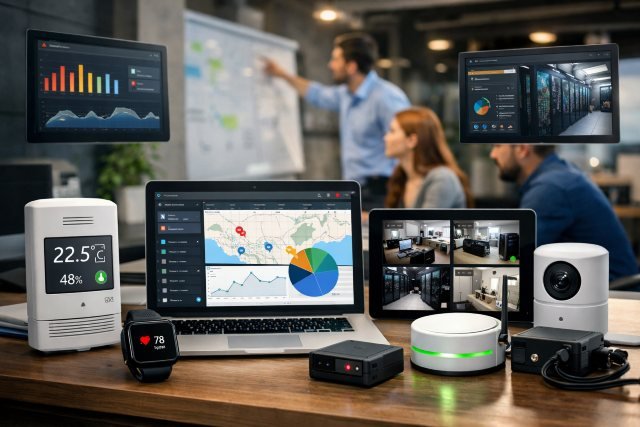
Remote work didn’t just change where teams operate — it changed what leaders need to manage. When work is happening across homes, coworking spaces, and time zones, you need clarity on device health, security posture, and workflow friction. SmartP is built as a complete remote monitoring system for modern teams, designed to give managers and IT the visibility they need while respecting employee privacy and maintaining trust.
- What Is SmartP?
- Why Modern Teams Need a Remote Monitoring System Now
- SmartP Core Features That Make It “Complete”
- SmartP vs. Traditional “Bossware”: What Should You Measure?
- Implementation Blueprint: How to Roll Out SmartP Without Resistance
- Real-World Scenarios Where SmartP Pays Off
- Actionable Tips to Get More Value From SmartP
- FAQ: SmartP Remote Monitoring for Modern Teams
- Conclusion: Why SmartP Is Built for the Reality of Distributed Work
That balance matters more than ever. Microsoft’s Work Trend Index research shows how digital work pressure is pushing people to the edge: 68% say they struggle with the pace and volume of work, and 46% report feeling burned out. When the workday becomes a blur of chats, meetings, and context switching, monitoring should help reduce friction — not intensify it.
This guide explains what SmartP is, how it works, what to monitor (and what not to), and how to roll it out in a way that improves outcomes for both performance and culture.
What Is SmartP?
SmartP is an end-to-end remote monitoring system that helps modern teams track and improve the health of work — across devices, applications, security signals, and operational performance — without turning the workplace into a surveillance machine.
At its best, remote monitoring should answer questions like:
- Are employee devices healthy, patched, and protected?
- Are key systems slow, unstable, or failing at specific times?
- Where are workflows getting stuck — handoffs, approvals, access requests, support tickets?
- Are people overloaded with meetings and messages, leaving little time for deep work?
Microsoft’s Work Trend Index highlights how communication dominates digital work: in Microsoft 365 apps, users spend 60% of their time on emails, chats, and meetings. SmartP’s purpose is to convert that reality into actionable, ethical improvements — like reducing friction, improving reliability, and protecting sensitive data.
Why Modern Teams Need a Remote Monitoring System Now
Remote and hybrid work tooling is expanding fast, and so are expectations. Markets tracking remote-work software point to strong growth signals in the broader category of remote working tools. That’s not just hype — it reflects a real shift in how organizations run operations across distributed environments.
But there’s a trap: many companies think “monitoring” means “watching people.” That approach often backfires. The goal should be observability for work systems, not micromanagement of humans.
Here’s why remote monitoring is becoming a baseline capability:
Reliability is the new productivity
When apps are slow, VPNs fail, or endpoint updates break collaboration tools, productivity doesn’t decline linearly — it collapses. Teams waste hours troubleshooting, recreating work, and waiting.
Security risk rises when teams improvise
Microsoft’s report also found that 78% of AI users are bringing their own AI tools to work (BYOAI). That’s a big governance challenge: sensitive data can leak through unmanaged tools unless you have strong visibility, policies, and safe alternatives.
Burnout and overload are measurable
If an organization can measure infrastructure and service health, it can also measure collaboration overload signals in a privacy-preserving way. The same Work Trend Index report notes 85% of emails are read in under 15 seconds, reinforcing the “always-on” pressure and skimming behavior. Monitoring can reveal unhealthy patterns so leaders can fix them (fewer meetings, better norms, clearer ownership).
SmartP Core Features That Make It “Complete”
A complete system isn’t one dashboard. It’s a connected set of capabilities that cover the realities of distributed work.
1) Endpoint & device health monitoring
SmartP tracks device stability signals like uptime, crashes, patch status, storage health, and performance bottlenecks. This helps IT teams prevent issues before they hit critical users.
2) Application performance and service reliability
Modern teams live inside SaaS apps. SmartP helps spot where latency, outages, and authentication failures disrupt work — so you can separate “employee productivity issues” from “system reliability issues.”
3) Security visibility and audit-ready reporting
SmartP surfaces security signals that matter: risky access patterns, outdated endpoints, suspicious auth behavior, and policy drift — while maintaining clear data retention and access controls.
4) Workflow friction insights
SmartP is most valuable when it tells you where time is lost, such as:
- repeated access requests for the same tools
- long ticket times for a certain region or role
- frequent handoff loops between functions
5) Privacy-first, policy-driven monitoring
This is the difference between “modern monitoring” and “bossware.” Many regulators emphasize transparency, necessity, and proportionality in worker monitoring — especially as homeworking increases expectations of privacy. SmartP should be positioned (and configured) as a system that supports those principles.
SmartP vs. Traditional “Bossware”: What Should You Measure?
The safest way to think about SmartP is: monitor systems and workflows, not personal behavior.
Here’s a practical comparison:
| Monitoring Focus | Good Outcome | Risk if Misused | SmartP Best Practice |
|---|---|---|---|
| Device health (patching, failures) | Higher uptime, fewer incidents | Over-collection of personal data | Collect minimum signals required |
| App reliability (latency, auth errors) | Faster work, fewer complaints | Blaming users for system issues | Tie alerts to service ownership |
| Security posture (risk + compliance) | Reduced breaches, audit readiness | Fear and distrust | Clear policy + role-based access |
| Collaboration load signals | Better meeting norms, less burnout | Misinterpreting signals as “effort” | Use trends, not individual scoring |
| Keystrokes/screenshots | Rarely improves outcomes | High privacy risk; trust damage | Avoid; replace with outcomes metrics |
A culture of trust matters. Research and reporting in the UK has highlighted growing concern around workplace “bossware,” reinforcing the importance of being transparent and proportionate.
Implementation Blueprint: How to Roll Out SmartP Without Resistance
A successful rollout is 80% change management and 20% tooling.
Step 1: Write a “monitoring purpose statement”
In plain language, define:
- why SmartP exists (reliability, security, support)
- what data it collects
- what it does not collect
- who can see what, and why
This aligns with regulator expectations around openness and fairness in monitoring practices.
Step 2: Separate “IT observability” from “people performance”
If you mix these two, employees assume surveillance. Keep performance management in its own lane, and use SmartP primarily to fix systems, reduce friction, and improve support.
Step 3: Start with team-wide insights, not individual dashboards
Use aggregated reporting to improve workflows and infrastructure. If individuals must be visible (e.g., incident response), require approvals, logging, and clear justification.
Step 4: Create action loops
Monitoring without action becomes noise. SmartP should trigger consistent playbooks:
- repeated login failures → identity configuration fix
- region-specific latency → routing/provider adjustment
- overload signals → meeting norms change + focus blocks
Real-World Scenarios Where SmartP Pays Off
Scenario A: “Support tickets keep spiking every Monday”
SmartP can correlate endpoint patch cycles, VPN load, and application latency with ticket volumes. Instead of blaming “Monday motivation,” you discover a patch deployment conflict or overloaded authentication service.
Scenario B: “Security team sees risky behavior — but employees say tools are slow”
SmartP can show that people are using unofficial tools because approved tools are unstable or inaccessible. Microsoft reports that employees are already improvising with tools at work (BYOAI), which increases data risk. The fix becomes: provide secure, approved options and reduce friction.
Scenario C: “Burnout is rising, but output looks fine”
Work Trend Index findings show widespread strain: 68% struggle with pace/volume and 46% feel burned out. SmartP can help identify overload patterns (meeting density, after-hours messaging trends) so leaders can intervene with workload redesign rather than superficial wellness messaging.
Actionable Tips to Get More Value From SmartP
Build a “monitoring-to-improvement” scorecard
Track improvements SmartP directly influences:
- fewer critical incidents
- reduced time-to-resolution
- improved patch compliance
- reduced recurring access requests
- improved system latency
Use role-based dashboards
IT shouldn’t see everything. Engineering needs performance signals. Security needs risk. Leaders need aggregated team health trends.
Keep monitoring humane and minimal
When monitoring expands beyond necessity, it stops being a productivity tool and becomes a cultural liability. Regulators and guidance often emphasize proportionality and privacy impact considerations when monitoring workers.
FAQ: SmartP Remote Monitoring for Modern Teams
What is SmartP used for?
SmartP is used to monitor and improve remote work systems — device health, app performance, security posture, and workflow friction — so distributed teams can work reliably and securely without constant firefighting.
Does SmartP track employees in a “surveillance” way?
SmartP is best deployed as a privacy-first monitoring system focused on systems and workflows, not intrusive surveillance. Organizations should clearly define what is collected, why it’s needed, and who can access it, aligning with transparency and proportionality principles.
How does SmartP help reduce burnout?
SmartP helps by identifying friction and overload patterns (like meeting density or system instability) so leaders can redesign workflows and reduce constant context switching. Microsoft research shows many employees struggle with pace/volume and report burnout, making smarter work design essential.
What teams benefit most from SmartP?
IT, security, operations, and team leaders benefit most — especially in organizations with hybrid teams, high SaaS usage, frequent support tickets, or strict compliance requirements.
How long does it take to see results?
Many teams see early wins within weeks when they focus on a small set of high-impact playbooks (like patch compliance, reliability fixes, and support deflection). The biggest gains come when monitoring insights are tied to ownership and action.
Conclusion: Why SmartP Is Built for the Reality of Distributed Work
SmartP isn’t just another dashboard — it’s a complete remote monitoring system designed for how modern teams actually operate. Work is faster, more fragmented, and more tool-driven than ever, and research shows many employees are struggling under the pace and volume. The answer isn’t heavier surveillance; it’s better visibility into systems, smarter workflows, and privacy-first governance that strengthens trust.
If you want fewer outages, faster support, stronger security, and healthier ways of working, SmartP provides the structure: measure what matters, act on it consistently, and keep the human side of work protected.