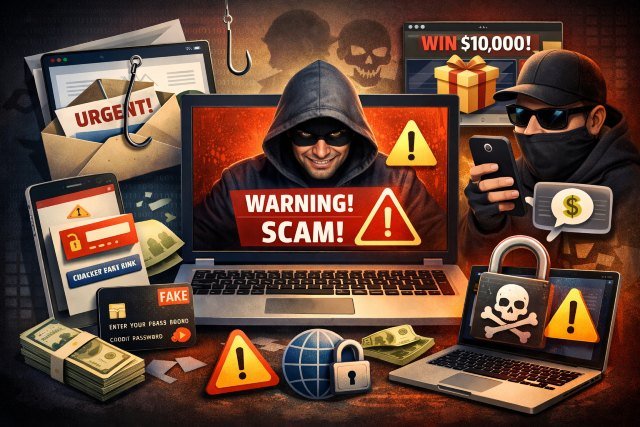
If “Scamiikely” sounds like a made-up word, that’s kind of the point: online scams are constantly reinventing themselves — new names, new stories, same goal. In 2023 alone, U.S. consumers reported losing over $10 billion to fraud, a record milestone. And reported cybercrime losses in FBI data have climbed into the tens of billions — with 2023 “potential losses” exceeding $12.5B, and the FBI later reporting 2024 losses exceeding $16B.
- What “Scamiikely” means in plain English
- Why internet scams keep working
- The Scamiikely checklist: the fastest way to spot a scam
- The most common internet scams (and what they look like)
- A simple “verify-first” routine that blocks most Scamiikely scams
- What to do if you clicked, paid, or shared information
- Quick scam-proofing that’s worth doing (one afternoon)
- FAQ: Scamiikely questions people ask most
- Conclusion: Make “Scamiikely” your cue to slow down and verify
What “Scamiikely” means in plain English
Scamiikely describes any online message, call, ad, or “support” interaction that looks legitimate on the surface but uses urgency, manipulation, or technical trickery to push you into sending money, sharing codes, or handing over access.
In other words: it’s not just “obvious spam.” Scamiikely scams often feel personal, timely, and convincing — because scammers copy real brands, real workflows, and real emotions.
Why internet scams keep working
Scams work because they target human instincts, not just weak passwords. Most “Scamiikely” campaigns lean on:
- Urgency: “Your account will be closed in 30 minutes.”
- Authority: “This is your bank / the police / your CEO.”
- Scarcity: “Only 2 seats left — pay now.”
- Fear or embarrassment: “We recorded you. Don’t tell anyone.”
- Convenience: “Just click this link to fix it.”
And the volume is huge. For phishing specifically, the Anti-Phishing Working Group (APWG) observed 989,123 phishing attacks in Q4 2024. That’s not to scare you — it’s to explain why you’ll keep seeing new variations.
The Scamiikely checklist: the fastest way to spot a scam
If you remember nothing else, remember this: scams require speed and secrecy. So your best defense is slowing things down and verifying.
1) The message tries to rush you
“Act now,” “final warning,” “last chance,” “limited time,” “within 10 minutes.” Real companies can be firm, but they usually provide clear, safe ways to verify — without a countdown timer.
2) The story creates isolation
Scammers often say: “Don’t tell anyone,” “This is confidential,” or “Customer support can’t help — only me.” Legit organizations don’t ask you to hide what’s happening.
3) The payment method is weird or irreversible
The FTC has noted that in 2023, consumers reported losing more money through bank transfers and cryptocurrency than all other methods combined. Scammers like payments that are fast and hard to reverse.
4) The link or sender is “almost right”
A Scamiikely trick: a domain that looks like the brand but isn’t (extra letters, swapped characters, unusual endings). Or an email from a free service pretending to be “billing@yourbank.”
5) They want your code, not your password
Modern scams often ask for:
- OTP codes (one-time passcodes)
- 2FA login approvals
- Password reset links
- Remote access installs (“support tools”)
If someone asks for a code that was just sent to you, treat that like they asked for your wallet.
The most common internet scams (and what they look like)
Phishing scams (email, SMS, DMs)
What it looks like: “Unusual login detected” or “Package delivery failed.”
What they want: you to click a link and log in, or open a file.
Scamiikely scenario: You get a text claiming to be your mobile carrier. It says your bill failed and includes a link. The page looks perfect, but the URL is slightly off. You enter credentials — now the scammer uses them elsewhere.
How to stop it:
- Don’t click the link. Open the app or type the site manually.
- If you already clicked, change the password from the real site and enable 2FA.
Imposter scams (bank, government, “support,” family)
The FTC reported imposter scams as one of the top loss categories in 2023 (nearly $2.7B reported).
What it looks like: a “bank fraud team” calling, a “tax office” email, or “tech support” popups.
What they want: money, gift cards, crypto, or access to your device.
Scamiikely scenario: A call says your account is compromised and you must “move funds to a safe account.” They keep you on the phone while you do it.
How to stop it:
- Hang up. Call the official number on the back of your card (or the app).
- Never move money because someone told you to “secure it.”
Investment and “too good to be true” scams
The FTC highlighted investment scams as the biggest reported loss category in 2023 (more than $4.6B).
What it looks like: guaranteed returns, influencer endorsements, “signals,” fake trading dashboards.
What they want: deposits, then larger deposits, then “fees” to withdraw.
Scamiikely scenario: You invest $250, see “profits” on a slick website, then they require “tax” or “verification” payments to release withdrawals.
How to stop it:
- Treat “guaranteed returns” as a scam signal.
- Verify the company through your country’s financial regulator before investing.
Online shopping and marketplace scams
What it looks like: impossibly low prices, urgent “only today” deals, or sellers pushing off-platform payment.
What they want: payment outside protections, or your personal info.
How to stop it:
- Pay only through the platform with buyer protections.
- Reverse-image search product photos.
- Be skeptical of brand-new stores with no history.
Romance and “relationship” scams
What it looks like: fast affection, future plans, then a sudden crisis (medical bill, travel fee, “investment opportunity”).
What they want: repeated transfers and emotional control.
How to stop it:
- Be cautious if they avoid video calls or real-world meetings.
- Don’t send money to someone you haven’t met in person.
- Talk to a friend — romance scams thrive in secrecy.
A simple “verify-first” routine that blocks most Scamiikely scams
Here’s a practical workflow you can reuse:
- Pause for 60 seconds. Urgency is the scam engine.
- Switch channels. If it arrived by email, verify by app/official site; if by phone, hang up and call back using a known number.
- Check what they’re asking for. Codes, remote access, crypto, gift cards, secrecy = high risk.
- Confirm with a second person for big requests (money, login changes, device installs).
- Document and report so platforms can act (and your bank can help).
If you run a business, add an extra layer: require approvals for payment changes and vendor bank updates — Business Email Compromise (BEC) thrives on “please wire this today” messages.
What to do if you clicked, paid, or shared information
You don’t need perfect steps — just quick, prioritized ones.
If you entered a password
- Change it immediately on the real site.
- Turn on 2FA (prefer authenticator app or security key).
- Change passwords anywhere else you reused it.
If you shared an OTP / approved a login
- Assume the account is compromised.
- Log out of all sessions and reset recovery methods.
- Check forwarding rules (email) and connected apps.
If you paid by card or bank transfer
- Contact your bank/payment provider ASAP and ask about disputes/recalls.
- Save screenshots, receipts, chat logs.
If you installed “support” software
- Disconnect from the internet.
- Uninstall remote tools, run a reputable antivirus scan, and consider a professional check if sensitive work is involved.
Quick scam-proofing that’s worth doing (one afternoon)
These steps give outsized protection:
- Use a password manager and unique passwords everywhere.
- Enable 2FA on email first (email is the “master key” for resets).
- Turn on transaction alerts for bank/cards.
- Lock down SIM swap risk (ask your carrier about port-out/SIM swap protection).
- Keep devices updated — many attacks rely on old vulnerabilities.
- Teach your inbox a rule: no clicking links for “urgent account issues.”
FAQ: Scamiikely questions people ask most
What is the biggest red flag that something is Scamiikely?
If the message demands immediate action and pushes you to pay or share a code, treat it as Scamiikely until proven otherwise.
Are scams really increasing, or does it just feel that way?
Multiple reporting sources show large losses and sustained attack volume. The FTC reported over $10B in reported fraud losses in 2023, and FBI IC3 reporting shows losses in the $12.5B+ range for 2023 with even higher losses reported later.
How can I tell if a link is safe on my phone?
Don’t rely on how it looks. The safer move is to avoid the link and open the official app or type the domain yourself. If you must check, long-press to preview the URL and look for misspellings.
Why do scammers ask for gift cards or crypto?
Because those payments are fast and difficult to reverse. Fraud reporting shows heavy losses tied to transfer methods scammers prefer.
I’m embarrassed — should I still report it?
Yes. Reporting helps banks, platforms, and investigators connect patterns. The FBI IC3 exists specifically for reporting internet crime.
Conclusion: Make “Scamiikely” your cue to slow down and verify
The best defense against Scamiikely internet scams isn’t being a tech wizard — it’s building a habit: pause, verify through official channels, and refuse weird payment requests or code sharing. Scammers succeed when they control your timeline and your emotions. Take back both, and most scams collapse on the spot.