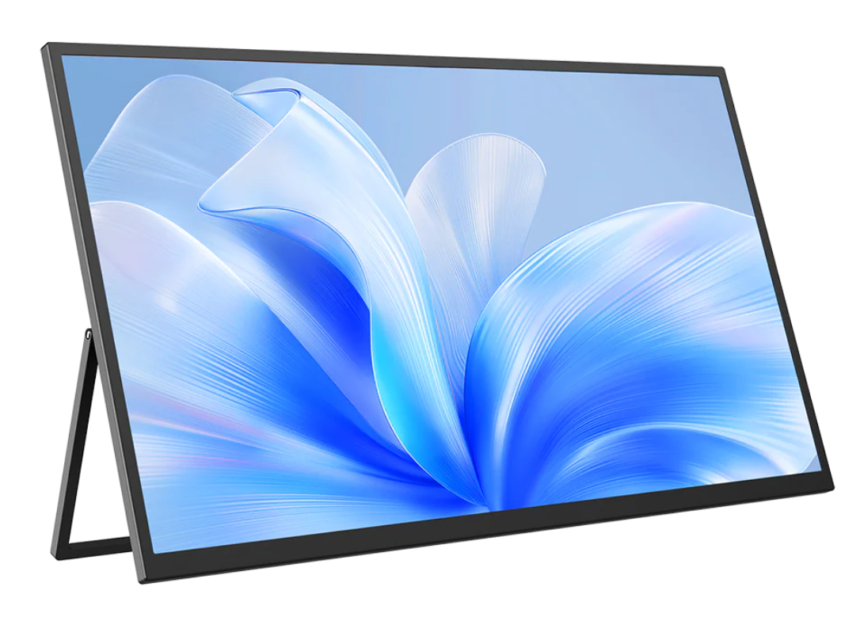
The rise of remote work has changed the way people work, giving them more freedom to choose where and how they do their jobs. With the ability to work from home or anywhere else, many professionals are looking for ways to make their workspaces more flexible and efficient. One solution that’s gaining popularity is the portable monitor.
- 1. Increased Productivity with Dual-Screen Setups
- 2. Enhanced Portability for On-the-Go Work
- 3. Ergonomic Benefits
- 4. Space Efficiency in Small Workspaces
- 5. Seamless Integration with Various Devices
- 6. Cost-Effective Alternative to Traditional Monitors
- 7. Collaboration and Video Conferencing Enhancement
- Conclusion
These lightweight and easy-to-carry screens allow people to add extra screen space to their work setup., making it easier to manage multiple tasks and stay organized. In this article, we’ll explore how portable monitors can help improve your flexible work-from-home lifestyle.
1. Increased Productivity with Dual-Screen Setups
A portable monitor helps create a dual-screen workspace, allowing you to view more information at once. This setup improves multitasking by letting you keep multiple apps or documents open simultaneously.
Having two screens reduces time spent switching between tabs, making it easier to focus on tasks and improve workflow. For example, you can have your email open on one screen while working on a report on the other, increasing efficiency and speed in completing tasks.
2. Enhanced Portability for On-the-Go Work
Portable monitors are designed for easy transport, making it simple to take your workspace anywhere. A portable monitor provides the flexibility to set up a productive environment wherever you go.
Portability is key for those with dynamic workspaces at home or frequent travel needs. A lightweight and compact monitor can be packed up quickly and doesn’t take up much space, allowing you to maintain productivity no matter where you’re working. This flexibility ensures you can stay efficient without being tied to a fixed desk or location.
3. Ergonomic Benefits
Portable monitors enhance posture by allowing you to position the screen at eye level, which helps alleviate strain on the neck and eyes. They encourage a more natural sitting position by reducing the need to lean forward or look down at a laptop.
Many models feature adjustable stands or brackets, allowing you to find the most comfortable height and angle for your workspace. This flexibility ensures that your screen is aligned with your line of sight, promoting comfort during long work sessions. As a result, portable monitors contribute to reducing physical discomfort and supporting overall well-being during extended hours of productivity.
4. Space Efficiency in Small Workspaces
Portable monitors are perfect for small or cluttered home offices as they take up minimal space. Unlike bulky desktop setups, these lightweight screens can be easily moved and stored when not in use, freeing up valuable desk space for other tasks or equipment.
For confined areas, portable monitors are designed to be easy to set up and pack away. Many models are slim and foldable, allowing you to store them in a drawer or carry them in a bag when you need to clear space. This makes it easy to quickly transform a small workspace into an organized environment without overwhelming the area.
5. Seamless Integration with Various Devices
Portable monitors are compatible with laptops, tablets, and smartphones, offering flexibility for different work setups. These monitors easily connect through USB, HDMI, or wireless options, ensuring smooth performance across various devices.
Setting up a portable monitor is fast and simple with plug-and-play functionality. There’s no need for complex installation or additional software, allowing workers to quickly adapt to different work environments. This convenience ensures uninterrupted productivity, regardless of the device being used or the location.
6. Cost-Effective Alternative to Traditional Monitors
Portable monitors offer a more affordable option compared to traditional desktop setups. While large, high-end desktop monitors can be expensive, portable monitors provide similar functionality at a fraction of the cost.
They deliver solid performance for multitasking, video calls, and general productivity, making them an excellent choice for those who need additional screen space without the high price tag.
For individuals setting up a home office, portable monitors are a budget-friendly solution. They require less investment than purchasing a bulky desktop monitor and are often more cost-effective when considering space and portability.
7. Collaboration and Video Conferencing Enhancement
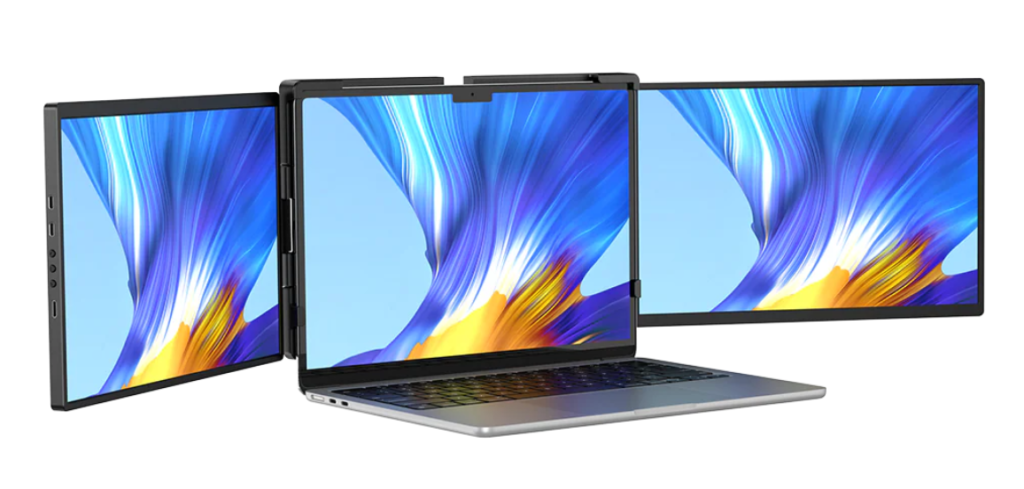
Having an additional screen can significantly improve video calls and collaboration. With a portable monitor, you can keep the video call on one screen while using the other for notes, documents, or chat apps. This helps you stay organized and engaged without the need to constantly switch between windows.
Portable monitors also provide a dedicated space for meetings, allowing you to focus on the conversation without distractions. By keeping your work apps open on the main screen, you can participate in discussions and share information seamlessly.
Conclusion
Portable monitors are a valuable tool for enhancing the work-from-home experience. They provide increased productivity through dual-screen setups, offer ergonomic benefits, and maximize space in small workspaces.
Their portability ensures that remote workers can maintain efficiency wherever they choose to work, while seamless device integration allows for quick setup and use across different platforms. Additionally, portable monitors are a cost-effective alternative to traditional desktop setups and can improve video conferencing and collaboration.