If you’ve ever searched for a quick way to save a YouTube video for offline viewing, you’ve probably seen Genyoutube com mentioned in forums, tutorials, or “download YouTube videos” searches. In simple terms, Genyoutube com is commonly described as a browser-based YouTube downloader that generates download links for different formats and resolutions — often without needing to install software.
- What is Genyoutube com?
- How Genyoutube com works
- Genyoutube com download options: formats you’ll typically see
- Quality and resolution: what you can realistically expect
- The real limits of Genyoutube com (what users run into)
- Is Genyoutube com legal and safe to use?
- Practical tips to use Genyoutube com more safely (if you choose to)
- Troubleshooting: when Genyoutube com isn’t working
- Examples: choosing the “right” download option
- FAQs
- Conclusion: Should you use Genyoutube com?
But there’s more to the story than “paste a link, click download.” Quality can vary, audio can be missing, and there are real legal and security considerations that most people only discover after something breaks. This guide explains Genyoutube com’s download options, quality behavior, common limits, and what to do when it doesn’t work — so you can make an informed choice.
What is Genyoutube com?
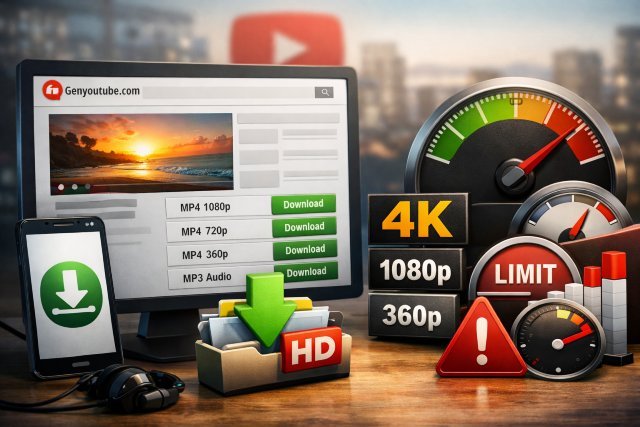
Genyoutube com is typically presented as an online tool that helps users download YouTube videos by offering multiple output choices such as MP4 (video), WebM (video), 3GP (mobile-friendly), and sometimes audio extraction like MP3.
Because it runs in the browser, Genyoutube com is often positioned as “easy” and “device-friendly” — working on desktops and mobile browsers in many cases.
How Genyoutube com works
Most Genyoutube-style tools work by taking a YouTube URL, processing the available streams, then presenting downloadable files. That sounds straightforward, but YouTube videos often use separate video/audio streams depending on the format and resolution — so not every “quality” option behaves the way users expect.
That’s why some users report things like “1080p downloads but has no sound” or “4K isn’t available.” In testing described by reviewers, higher resolutions like 4K were not consistently available, and audio was sometimes missing in certain download outputs.
Genyoutube com download options: formats you’ll typically see
MP4 (most common)
MP4 is the default choice for most people because it works on nearly every device and app. Genyoutube com is commonly reported to offer MP4 in multiple qualities (when available).
Best for: offline playback on phones, laptops, TVs, and sharing between devices.
WebM (often higher-efficiency video)
WebM is also frequently listed as an option. It can be great for modern browsers and certain editors, but compatibility isn’t as universal as MP4.
Best for: browser playback and users comfortable converting formats.
3GP (older, mobile-first format)
3GP is a low-size option built for older phones and slow connections. It’s not “pretty,” but it can be practical when storage and bandwidth are tight.
Best for: very small file sizes and older devices.
MP3 (audio extraction)
Many guides describe MP3 extraction as a feature, with selectable bitrates in some cases (for example 128kbps up to 320kbps).
Best for: lectures, podcasts, music listening (where you have the rights/permission).
Suggested image alt tag (for a formats image):
alt=”Genyoutube com download options showing MP4, WebM, 3GP, and MP3″
Quality and resolution: what you can realistically expect
One of the biggest questions people ask is: “Can Genyoutube com download 1080p or 4K?”
Here’s the reality based on documented testing and how YouTube delivery works:
Typical quality range: 144p to 1080p
Reviews commonly report options ranging from 144p up to 1080p, depending on the source video.
4K is inconsistent (and sometimes unavailable)
Some websites claim 4K downloads are possible, but hands-on tests cited by reviewers found 4K wasn’t consistently available, even when the source video offered it.
That mismatch usually happens because the “best” streams are handled differently and can be harder for third-party tools to package reliably.
The “no audio” problem at higher resolutions
A particularly common frustration: downloading a “high quality” file and discovering it has no sound. Reviewers explicitly noted that download links “often don’t offer audio,” which is a major downside if you expect a ready-to-play file.
Why this happens (high-level): some higher-resolution YouTube formats may deliver audio and video separately, so a downloader may provide video-only unless it merges streams correctly.
The real limits of Genyoutube com (what users run into)
1) Availability and downtime
These services can be up one day and flaky the next, sometimes due to domain changes, blocking, or backend issues. You’ll even find status-check pages tracking downtime for similar Genyoutube-related domains.
2) Ads, popups, and risky redirects
Many free downloader sites rely heavily on ads. Even when guides call a service “generally virus-free,” they often warn users not to click intrusive ads or pop-ups.
3) Quality option ≠ guaranteed result
Seeing “1080p” doesn’t always mean you’ll get a perfect, combined audio+video 1080p file. As noted above, audio may be missing.
4) Device and browser quirks
Browser-based tools can behave differently across Chrome, Safari, Firefox, or mobile browsers. Some reviewers report it works across major browsers, but consistency can vary over time.
Is Genyoutube com legal and safe to use?
This is the part many articles skip — but it matters.
YouTube’s rules on downloading
YouTube provides official offline downloads through supported features like YouTube Premium in certain contexts and devices.
In contrast, many legal explainers and tech publishers note that using third-party download services generally conflicts with YouTube’s terms and can carry consequences (like account actions) depending on the situation.
Also, legality isn’t only about YouTube’s terms — it’s about copyright. Downloading copyrighted material without permission can create legal risk even if “everyone does it.”
Safer, more compliant alternatives (when you need offline viewing)
If your goal is simply offline watching during travel, the cleanest route is typically YouTube Premium’s download feature, where available.
For creators, educators, or teams, another practical option is using content that’s explicitly licensed for reuse (for example, Creative Commons content) or getting direct permission from the copyright owner.
Practical tips to use Genyoutube com more safely (if you choose to)
If you still plan to use Genyoutube com, these are common-sense steps to reduce risk:
- Prefer MP4 when you need “it should just play.” MP4 is typically the most compatible.
- If you download “1080p” and it’s silent, try a lower MP4 option that’s more likely to include combined audio/video — or consider an official offline option instead.
- Avoid clicking ads/popups and consider using a reputable security setup; even guides that call these sites “generally safe” still warn about intrusive ads.
- If the site isn’t loading, it may be downtime or a domain issue — try later or use an official method.
Troubleshooting: when Genyoutube com isn’t working
Sometimes the issue isn’t Genyoutube com — it’s your browser, extensions, or network. Even YouTube’s own help documentation recommends steps like updating your browser, clearing cache/cookies, and checking extensions (including ad blockers) when video-related issues occur.
If Genyoutube com fails to generate links or keeps erroring out, try these in order:
- Refresh and retry in a private/incognito window (reduces extension interference).
- Disable ad blockers temporarily for the session (some scripts break when blockers are aggressive).
- Clear cache/cookies and update the browser.
- Check your connection speed if you’re aiming for HD/4K. YouTube recommends about 5 Mbps for 1080p and 20 Mbps for 4K playback, which is a useful benchmark for download stability too.
Examples: choosing the “right” download option
Scenario 1: You’re traveling and need reliable offline playback
If reliability matters more than “free,” official offline downloads via YouTube Premium (where available) are usually the least frustrating path because it’s built into the platform.
Scenario 2: You need a small file for limited storage
A lower resolution (like 360p) is often the best balance of watchability and file size, and some guides explicitly mention 360p/720p as “speedy” options.
Scenario 3: You only need the audio for a lecture you’re allowed to save
MP3 extraction may work, and some guides mention bitrate choices up to 320kbps.
Just make sure you have permission to download and reuse the content.
FAQs
What is Genyoutube com?
Genyoutube com is commonly described as a web-based tool that generates download links for YouTube videos in formats like MP4, WebM, and sometimes MP3 audio extraction.
Does Genyoutube com support 1080p or 4K?
It often lists options up to 1080p, but 4K availability can be inconsistent based on testing and the source video’s streams.
Why do some Genyoutube com downloads have no sound?
Some higher-quality outputs may produce video-only files because audio and video can be delivered as separate streams, and the tool may not always merge them correctly. Reviewers explicitly reported missing audio in download links.
Is Genyoutube com legal?
Many third-party downloaders can conflict with YouTube’s terms, and downloading copyrighted content without permission can create legal risk. Official offline downloads through YouTube Premium are the clearest compliant option when available.
Is Genyoutube com safe?
Risk varies. Some guides say such tools can be “generally safe,” but still warn users to avoid intrusive ads and popups and to use security precautions.
Conclusion: Should you use Genyoutube com?
Genyoutube com is popular because it’s simple: it’s browser-based, often offers multiple formats (MP4/WebM/3GP), and may include MP3 extraction and a range of quality choices up to 1080p.
At the same time, it comes with real limits — 4K can be inconsistent, audio may be missing, uptime can fluctuate, and there are legal and safety considerations you shouldn’t ignore.
If your priority is dependable offline watching with minimal risk, YouTube’s official offline download options (like Premium where supported) are typically the most stable route.
If you do choose Genyoutube com, treat it as a convenience tool with tradeoffs — pick formats carefully, watch for silent HD downloads, and protect yourself from sketchy ads.