It does not work at times when one has to write instructions. The client is bad at following a technical instruction. A learner becomes disoriented as he or she manages an online platform. A colleague does not comprehend a process with elaborate emails. In both instances, it is not a matter of effort. It is clarity.
This is solved by visual explanation in an instant. You do not tell how to do it, but show. That is where iTop screen recorder online can be useful. It lets you capture your screen right in your browser and create an understandable video that you can easily share within minutes.
A Practical Tool Designed for Simplicity
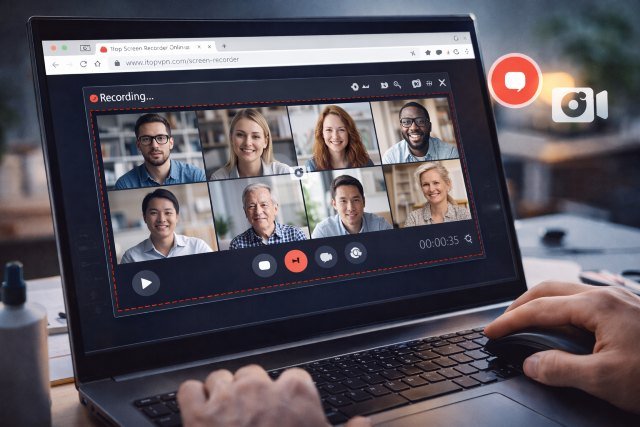
iTop screen recorder online is a web-based screen recorder that records what is on the screen, system audio, and optional webcam video. One does not need to install big software packages or tweak complex settings. You open the webpage, then choose what you would like to record and start.
This simplicity matters. Most of the professionals are shy to produce video materials as they believe that it involves editing software or technical skills. The fact of the matter is that a screen recorder on the internet eliminates such obstacles. It is centered on instant capturing and fast sharing.
The outcome is an immediate video of what appears on the screen, and it is also possible to be downloaded or shared.
Why Browser-Based Recording Changes Daily Work
The advantage of browser-based screen recording is in speed and availability. You can make a tutorial or explanation at the moment when it is necessary, when you work on iTop Screen Recorder Online.
This flexibility is beneficial to the content creators. A software reviewer would be able to record a demonstration of the features without opening heavy editing software. An article can be accompanied by a walkthrough video that is generated by a blogger. The recording forms a part of the content strategy.
Screen recording is employed by marketers to introduce analytics dashboards, campaign updates, and web optimization. They are not discussed in the form of dead screenshots but rather dynamic explanations, which are more transparent and convincing.
Teachers use the screen capture tools to facilitate online education. An educator is able to take notes on the lesson summary or assignment guide and send it to pupils. Students are able to watch the video again in their time and further their comprehension.
Internal communication is also done by the use of browser-based recording by businesses. Training, onboarding materials, and troubleshooting guides can be recorded and can be used over and over again. This saves time within different teams and avoids repetitive explanations.
Accessibility Without Compromise
Convenience is one of the best strengths of iTop Screen Recorder Online. Since it is directly operated in a web browser, it does not take up much storage space. It is also not limited to installations, as is the case in the office or shared computers.
This availability promotes more active applications. Professionals prefer video communication to lengthy written instructions when it is easy to record them.
In environments that are fast-paced, such a shift enhances productivity.
How to Use Screen Recorder Online
Go to the iTop Screen Recorder Online on your Web browser.
Choose a recording area: full screen, a specific window, or a browser tab.
Switch on the microphone or webcam as required.
View the record button and start explaining.
Select cease recording and save or share the video file.
The whole process occupies just a couple of minutes.
A Smarter Way to Communicate Clearly
Effective communication can make the difference between education, marketing, and business. A basic screen recording will provide accurate instructions, rather than using a series of repeated messages or messages as part of a long document.
The iTop Screen Recorder Online allows all people to access browser-based recording. It converts complicated descriptions into simple videos that could be stored and shared in real time. In cases where telling is not as effective as showing, this tool is more than just convenient; it is a necessity.