

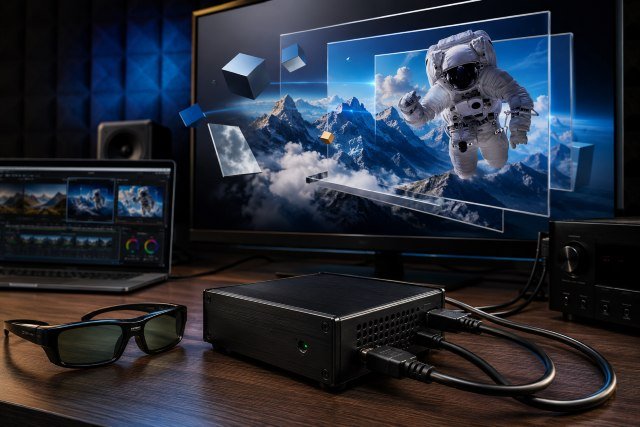
The Kanexpro 3d Converter is a compact video conversion device designed for users who want to enjoy 3D-style viewing from standard 2D video sources. If you still use a 3D TV, 3D-ready projector, Blu-ray player, media PC, or older home theater setup, this type of converter can help bridge the gap between regular HDMI content and 3D-enabled displays.
- What Is the Kanexpro 3d Converter?
- Why 3D Video Users Still Search for Kanexpro 3d Converter
- Key Features of Kanexpro 3d Converter
- How the Kanexpro 3d Converter Works
- Kanexpro 3d Converter and HDMI 3D Formats
- Best Uses for Kanexpro 3d Converter
- Setup Tips for Better 3D Performance
- Common Problems and Fixes
- Is Kanexpro 3d Converter Good for Modern 4K Setups?
- Kanexpro 3d Converter vs Native 3D Content
- Buying Advice: Should You Still Buy One?
- Frequently Asked Questions
- Conclusion
KanexPro marketed its CubeUp 2D-to-3D converter as a real-time hardware solution that could convert 2D content into 3D for viewing on 3D-enabled TVs, DLP projectors, and monitors. The official product sheet describes it as having one HDMI input, one HDMI output, real-time hardware conversion, and support for sources such as PCs and Blu-ray players.
Although 3D televisions are no longer as common as they were during the early 2010s, many users still own 3D projectors, home cinema systems, and older displays. For them, the Kanexpro 3d Converter can still be useful, especially when they want to experiment with 3D playback without replacing their entire setup.
What Is the Kanexpro 3d Converter?
The Kanexpro 3d Converter, often associated with the KanexPro CubeUp product line, is a hardware video converter that takes a 2D HDMI signal and processes it into a 3D-compatible output. Instead of requiring software on a computer, the conversion happens inside the device.
This is useful because not every video source includes built-in 3D processing. A Blu-ray player, streaming box, game console, or media PC may send a regular 2D HDMI signal. The converter sits between that source and the display, processing the signal before it reaches the screen.
The CubeUp product sheet explains that the device was designed to convert 2D sources to 3D during playback and send the result to a 3D-enabled display. It also mentions adjustable 3D viewing parameters such as depth mode and scaling mode.
In simple terms, it works like a middle device in your home theater chain. Your video source connects to the converter. The converter connects to your 3D TV or projector. Then the display shows the processed 3D output.
Why 3D Video Users Still Search for Kanexpro 3d Converter
Many people search for the Kanexpro 3d Converter because 3D video equipment has become harder to find. Major TV brands no longer promote 3D as they once did, but 3D projectors and older 3D televisions are still used by home theater fans.
The appeal is simple. If you already own a 3D-ready display, you may want to keep using it. A converter can make older content feel more immersive, especially for movies, sports clips, gaming, animated videos, and demo content.
It is also useful for users who have multiple HDMI devices but only one 3D-capable display. Some CubeUp models combined switching and conversion, allowing several HDMI sources to be routed through one unit. One product sheet describes the CubeUp switcher as an all-in-one solution for switching four HDMI sources, such as a Blu-ray player, satellite box, or game console, to an HD display while converting 2D content to 3D.
For people building a retro home theater or maintaining an older projection setup, this makes the product interesting even today.
Key Features of Kanexpro 3d Converter
The main feature of the Kanexpro 3d Converter is real-time 2D-to-3D conversion. This means the device processes the video signal as it plays, instead of requiring the user to pre-convert the video file.
Another important feature is HDMI connectivity. HDMI is the standard connection used by most Blu-ray players, consoles, media boxes, laptops, projectors, and televisions. The official KanexPro product sheet describes the CubeUp converter as having one HDMI input and one HDMI output.
The converter also supports multiple 3D output styles depending on the display and content format. Retail product information for the KanexPro CubeUp mentions support for side-by-side, top-and-bottom, 3D frame-packing, and page-flip delivery formats in 3D conversion mode.
This matters because different 3D displays may expect different 3D formats. Some projectors work better with frame-packing, while some TVs may support side-by-side or top-and-bottom modes.
The CubeUp was also described as supporting HDMI 1.4a, 12-bit deep color, lossless audio, and pass-through of 2D or 3D content without conversion.
How the Kanexpro 3d Converter Works
The setup process is usually straightforward. You connect your source device to the HDMI input of the converter. Then you connect the HDMI output of the converter to your 3D TV, monitor, or projector.
Once connected, the converter receives the 2D signal, analyzes the image, and creates a 3D-style output. The display then presents that output using its own 3D viewing method.
For example, if you are using a 3D DLP projector, you may need compatible active shutter glasses. Product information for the CubeUp notes that active-shutter glasses are required for viewing 3D content on a 3D-ready set unless the user has a polarizer system for passive glasses.
The converter does not magically turn every video into true native 3D. Native 3D movies are filmed or rendered with separate left-eye and right-eye views. A 2D-to-3D converter estimates depth from a flat image. The result can look impressive in some scenes and less convincing in others.
Scenes with clear foreground and background separation usually work better. For example, landscapes, animated content, sports, racing games, and wide cinematic shots may show a stronger 3D effect. Flat talking-head videos or dark scenes may look less dramatic.
Kanexpro 3d Converter and HDMI 3D Formats
Understanding 3D formats helps users avoid setup problems. HDMI 1.4 introduced support for several major 3D video formats, making 3D home theater and gaming more practical through HDMI connections. HDMI.org describes HDMI 1.4b as defining input and output protocols for several major 3D video formats.
Common 3D formats include side-by-side, top-and-bottom, and frame-packing. In side-by-side mode, the left-eye and right-eye images are placed next to each other in the same frame. In top-and-bottom mode, one image sits above the other. Frame-packing is commonly associated with Blu-ray 3D and HDMI 1.4 3D delivery.
A technical HDMI 1.4 3D overview from Key Digital explains that HDMI 1.4a required 3D displays to support formats such as frame-packing, side-by-side horizontal, and top-and-bottom vertical for certain resolutions and refresh rates.
This is why compatibility matters. A converter can output a 3D format, but your TV or projector must also support that format. If the display does not recognize the output correctly, the image may look split, doubled, stretched, or flat.
Best Uses for Kanexpro 3d Converter
The Kanexpro 3d Converter is best for users who already own a 3D-capable display. It is not useful if your TV or projector cannot display 3D.
One common use is with Blu-ray players. Even if the disc is not native 3D, a converter can add a 3D effect to regular 2D movies. This can make older films feel more immersive on a large projector screen.
Another use is gaming. Some users connect a console or gaming PC through a converter to create a stronger sense of depth. Racing games, flight games, platformers, and adventure titles may benefit more than fast competitive shooters, where extra processing and visual changes may not be ideal.
It can also work well for educational or demo environments. A classroom, showroom, or small theater may use a 3D-ready projector to make visual content more engaging. Product demonstrations, science visuals, landscapes, architecture walkthroughs, and animated clips can become more eye-catching with simulated depth.
For casual entertainment, it can be a fun add-on. However, users should keep expectations realistic. A converter can enhance depth, but it cannot match the accuracy of content originally produced in true stereoscopic 3D.
Setup Tips for Better 3D Performance
The first step is to confirm that your display supports 3D. Check the TV or projector menu for 3D modes such as side-by-side, top-and-bottom, or frame-packing. Without this support, the converter cannot create a proper 3D viewing experience.
Next, use good HDMI cables. Since 3D video can be more demanding than basic 720p or 1080p playback, weak cables may cause flickering, signal drops, or handshake problems.
You should also check the source resolution. Many 3D setups work best at common HD resolutions such as 720p or 1080p. If your source is set to an unusual PC resolution, the display may not recognize the 3D format correctly.
Adjust the depth settings carefully. Too much 3D depth can cause eye strain, especially during long viewing sessions. Start with a mild setting, then increase it slowly until the image feels natural.
Room lighting also matters. A darker room improves contrast, especially with projectors. If the image is dim through 3D glasses, reduce ambient light and increase projector brightness if possible.
Common Problems and Fixes
One common problem is a split image on the screen. This usually means the display is receiving a side-by-side or top-and-bottom image but has not switched into the matching 3D mode. Open your TV or projector’s 3D menu and choose the correct format.
Another issue is no 3D effect. This may happen when the converter is in pass-through mode or the display is not set to 3D mode. Check the converter settings, remote control options, and display menu.
Some users may see flickering. This can happen with incompatible glasses, low battery active-shutter glasses, weak HDMI cables, or mismatched refresh rates. Try a different HDMI cable, recharge or replace the glasses, and confirm the projector’s 3D mode.
Eye strain is another common complaint. Reduce the depth level, sit farther from the screen, and take breaks. Simulated 3D can feel unnatural if the conversion is too aggressive.
Audio issues may occur if the source, converter, and display do not negotiate HDMI audio properly. Since the CubeUp product information mentions lossless audio and pass-through support, audio should work in normal conditions, but older AV receivers can sometimes create handshake problems.
Is Kanexpro 3d Converter Good for Modern 4K Setups?
The Kanexpro 3d Converter is better suited to older HD 3D home theater setups than modern 4K HDR systems. Most 2D-to-3D converters from the early 2010s were designed around HDMI 1.4-era 3D displays and 1080p home theater equipment.
If your main setup is a 4K HDR TV, Dolby Vision streaming device, or modern gaming console, this converter may not be the best choice. You may lose 4K resolution, HDR, modern refresh-rate features, or advanced audio compatibility depending on the exact signal chain.
However, if you use a dedicated 1080p 3D projector or an older 3D TV, it can still make sense. Many 3D projectors are still valued by enthusiasts because they offer a large-screen experience that small televisions cannot match.
In other words, the Kanexpro 3d Converter is not a future-proof 4K accessory. It is a practical tool for users who specifically want 3D video from HDMI sources on compatible 3D displays.
Kanexpro 3d Converter vs Native 3D Content
Native 3D content will almost always produce better depth accuracy than converted 2D content. That is because native 3D is created with two separate perspectives. The left eye and right eye receive different image information, creating a more natural stereoscopic effect.
A 2D-to-3D converter uses processing to estimate depth. It may detect edges, motion, contrast, and object separation, but it is still making an interpretation. Some scenes may look excellent, while others may feel shallow or artificial.
For casual watching, this may be acceptable. For serious 3D film collectors, native Blu-ray 3D discs and properly encoded 3D files will usually be better.
The Kanexpro 3d Converter is best seen as an enhancement tool, not a replacement for true 3D production.
Buying Advice: Should You Still Buy One?
You should consider the Kanexpro 3d Converter if you already have a 3D TV or 3D-ready projector, use HDMI sources, and want real-time 2D-to-3D conversion without relying on computer software.
It may also be worth buying if you find it used at a reasonable price and understand its limitations. Since the product belongs to an older 3D hardware category, availability may be limited. Some listings may be discontinued, used, refurbished, or sold through specialty AV resellers.
Before buying, confirm the exact model number. KanexPro has made many video converters, including SDI-to-HDMI converters, HDMI switchers, scalers, and other AV tools. Not every KanexPro converter is a 2D-to-3D converter. For example, KanexPro also sells professional SDI-to-HDMI converters for broadcast-style video workflows, which are different from consumer 3D conversion products.
You should also check whether the unit includes its power supply, remote control, manual, and working HDMI ports. If the converter relies on remote-based depth or mode adjustments, missing accessories can make the device harder to use.
Frequently Asked Questions
What does the Kanexpro 3d Converter do?
The Kanexpro 3d Converter converts a 2D HDMI video signal into a 3D-compatible output for 3D TVs, projectors, and monitors. It is mainly useful for users who already own 3D-capable displays.
Does it work with any TV?
No. Your TV or projector must support 3D. If your display is not 3D-capable, the converter cannot create a real 3D viewing experience.
Does it turn every movie into real 3D?
Not exactly. It creates simulated 3D from 2D content. Native 3D movies usually look better because they are filmed or rendered with separate left-eye and right-eye views.
What 3D formats does it support?
Product information for the KanexPro CubeUp mentions support for side-by-side, top-and-bottom, frame-packing, and page-flip 3D delivery formats.
Is it good for gaming?
It can be fun for some games, especially racing, adventure, and scenic games. However, competitive gamers may prefer direct HDMI connection because conversion can change image processing and may not be ideal for fast response.
Conclusion
The Kanexpro 3d Converter remains an interesting device for 3D video users who still enjoy older 3D TVs, DLP projectors, and home theater systems. Its main value is simple: it lets you convert regular 2D HDMI content into a 3D-style output without needing complex software or a full equipment upgrade.
It is not the right product for everyone. If you have a modern 4K HDR setup with no 3D display, it will not add much value. But if you already own a compatible 3D screen, projector, or home cinema system, the Kanexpro 3d Converter can help extend the life of your equipment and make standard video content feel more immersive.
For the best results, use a compatible 3D display, reliable HDMI cables, proper 3D glasses, and moderate depth settings. Treat it as a practical enhancement tool rather than a magic replacement for native 3D content, and it can still be a useful part of a dedicated 3D video setup.