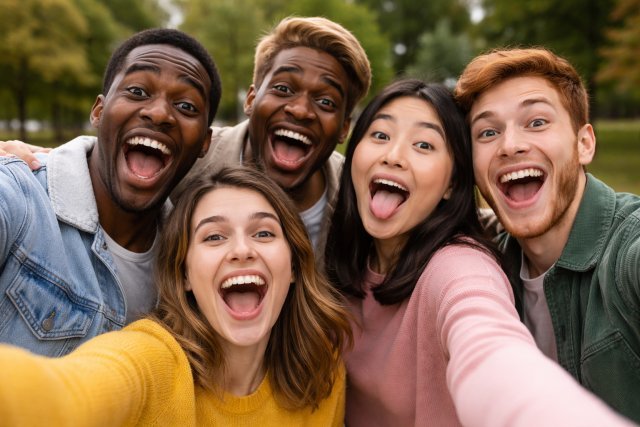
If you’ve ever looked at a group photo and thought, “This would be hilarious if everyone had each other’s faces,” you’re not alone. Multi-Face Swap has become one of the fastest-growing trends in AI photo editing because it turns everyday pictures into share-worthy comedy in seconds.
- What Is Multi-Face Swap?
- Why Multi-Face Swap Is Suddenly Everywhere
- How Multi-Face Swap Works
- Multi-Face Swap vs Traditional Face Swap: What’s the Difference?
- Best Use Cases for Multi-Face Swap
- How to Create a Multi-Face Swap in Seconds (Step-by-Step)
- Multi-Face Swap Tips for More Realistic Results
- Common Questions About Multi-Face Swap
- Ethics, Safety, and Legal Considerations (Important)
- Multi-Face Swap for Creators: Content Ideas That Actually Perform
- Mini Case Scenario: How a Creator Uses Multi-Face Swap for Growth
- Conclusion: Multi-Face Swap Turns Group Photos Into Instant Comedy
Unlike basic face swap tools that replace just one face at a time, Multi-Face Swap technology lets you swap multiple faces in one image — sometimes all of them at once — with surprisingly realistic results. And because modern AI tools can detect faces automatically, you don’t need editing skills to pull it off.
Whether you’re creating memes, surprising friends, producing social media content, or just having fun, Multi-Face Swap is the shortcut to instant entertainment.
What Is Multi-Face Swap?
Multi-Face Swap is an AI-powered photo editing method that detects multiple faces in a single image and swaps them with other faces — either from the same photo, from a different photo, or from uploaded images.
In simple terms, it’s like face-swapping… but designed specifically for group photos.
Most multi-face swap tools work like this:
- You upload a group photo.
- The AI detects all faces automatically.
- You choose the faces you want to swap.
- The tool blends the new faces into the image with lighting and angle matching.
Platforms like Fotor, Facewow, and similar multiple face swap tools now offer automated multi-face swapping, with AI detection built in.
Why Multi-Face Swap Is Suddenly Everywhere
Multi-face swap tools exploded in popularity for three reasons:
1) AI Face Detection Has Improved Dramatically
Modern facial recognition and face segmentation makes it easier to detect multiple faces, even in angled group shots. That means fewer weird cut-outs and more believable results.
2) Content Creators Need Fast, Funny Visuals
From TikTok to Instagram Reels, creators rely on quick ideas with strong visual impact. Multi-face swapping is a perfect “instant hook” format — especially when paired with captions like “Guess who is who.”
3) Users Want Meme-Style Entertainment
A multi-face swap turns normal group photos into comedic chaos — and humor is the most shareable emotion online.
This rising demand is reflected in broader market growth. Several market research reports estimate that the face swap app market is growing rapidly, reaching billions in value across forecast periods.
How Multi-Face Swap Works
Most people assume face swapping is just pasting one face over another. But high-quality multi-face swap results require several AI steps:
Face Detection
The system identifies face shapes, landmarks, and alignment points (eyes, nose, mouth, jawline).
Face Segmentation
AI isolates the face and sometimes hairline or skin boundary to create a clean cut.
Face Alignment
The replacement face is rotated and warped to match the head angle and proportions.
Lighting + Texture Blending
The AI adjusts brightness, contrast, shadows, and skin tone so the swap looks natural.
Final Synthesis
Some tools apply enhancement, smoothing, and artifact removal to reduce “AI-looking” results.
This explains why newer tools are so much better than older “sticker face” apps — they’re doing far more than a simple overlay.
Multi-Face Swap vs Traditional Face Swap: What’s the Difference?
Traditional face swap tools are usually designed for one-to-one swaps: one face replaces another, often manually selected.
Multi-Face Swap, however:
- detects several faces automatically
- handles multiple swaps in one pass
- is optimized for group images
- usually offers individual swap control per face (swap face #1, #2, and #4 while keeping the rest)
Tools like Fotor’s Multiple Face Swap specifically focus on this group-photo workflow.
Best Use Cases for Multi-Face Swap
1) Funny Friend Group Photos
The classic: swap everyone’s faces randomly and send it to the group chat without context. It never fails.
2) Birthday or Wedding Moments
You can create a “best man with bride’s face” or swap the whole wedding party for a comedic album highlight.
3) Office Culture & Team Memes
Teams love “boss face on everyone” memes — especially for internal events, work anniversaries, or presentations.
4) Sports Fan Content
Swap faces between teammates or put your friends into the photo of a famous team.
5) Social Media Challenges
“Guess whose face is whose” posts generate engagement because they invite comments.
How to Create a Multi-Face Swap in Seconds (Step-by-Step)
Most tools follow the same process. Here’s a universal workflow:
Step 1: Choose a Group Photo with Clear Faces
For best results:
- faces should be front-facing or slightly angled
- lighting should be consistent
- avoid heavy blur or extreme shadows
Step 2: Upload the Image to a Multi-Face Swap Tool
Many tools now offer multi-face swap as a dedicated feature, including AI face detection and face replacement interfaces.
Step 3: Select Which Faces to Swap
Some tools allow:
- swapping faces with each other inside the same photo
- replacing multiple faces using external uploads
Step 4: Generate the Result
AI will blend and enhance the output.
Step 5: Refine (Optional)
If the tool allows, adjust:
- face positioning
- edge blending
- enhancement strength
Then export.
Multi-Face Swap Tips for More Realistic Results
If you want your swaps to look clean (not uncanny), use these proven methods:
Tip 1: Match Angles
A forward-facing face pasted onto a sideways head looks odd. Try using replacement faces with similar angles.
Tip 2: Use High Resolution Photos
Higher resolution = clearer landmarks = better blending.
Tip 3: Avoid Hairline Conflicts
Hair and head shape mismatches are the #1 reason face swaps look fake. Choose faces with similar hairline coverage or use tools that blend beyond the jawline.
Tip 4: Consistent Lighting Wins
If one face is shot under warm indoor light and another under blue daylight, the swap will look unnatural.
Tip 5: Don’t Over-Enhance
Some tools add strong smoothing. If your output looks “plastic,” reduce enhancement.
Common Questions About Multi-Face Swap
What is Multi-Face Swap?
Multi-Face Swap is an AI feature that swaps multiple faces in a single image at once, usually in group photos, using face detection and blending.
Is Multi-Face Swap free?
Some platforms offer free versions or limited swaps, while higher-resolution exports and watermark-free downloads may require upgrades. (This varies by tool.)
Can I swap faces in a group photo automatically?
Yes. Most modern multi-face swap tools detect faces automatically and let you choose which ones to replace.
Does Multi-Face Swap work on videos?
Some face swap technology supports video, but many “multi-face swap” tools focus mainly on still images. Video face swapping typically requires more processing and sometimes separate platforms.
Is Multi-Face Swap safe?
It can be safe when used responsibly. The biggest risks involve consent, misuse, and identity fraud — which is why ethical guidelines matter.
Ethics, Safety, and Legal Considerations (Important)
Multi-face swapping can be harmless fun… but it can also be misused.
Privacy and safety organizations warn that synthetic content tools increase risks like manipulation, misinformation, and identity exploitation.
And identity fraud reports show that businesses are increasingly encountering deepfake-based fraud attempts.
Responsible Use Rules (Simple and Clear)
- Get consent before swapping someone’s face into a new context.
- Avoid sensitive content involving nudity, harassment, or humiliation.
- Don’t impersonate real people for deception, fraud, or misleading media.
- Label synthetic content when sharing publicly to avoid misinformation issues.
- Never use swaps for scams or identity theft. Investigations have linked advanced face swap tools to fraud tactics like romance scams and impersonation schemes.
Ethics and legal concerns around deepfakes and face-swapping are increasingly highlighted by researchers and industry discussions, especially as synthetic media becomes more accessible.
Multi-Face Swap for Creators: Content Ideas That Actually Perform
If you’re using Multi-Face Swap for content creation, these formats tend to get strong engagement:
“Guess Who Is Who”
Post the swapped image and ask followers to identify each person. It encourages comments.
“Before vs After”
People love comparisons. Use a quick slideshow with the original group photo first, then the swapped result.
“Boss Face on Everyone”
This one works especially well for office humor, team events, and internal newsletters.
“Celebrity Swap Challenge”
Swap your friend group into a famous band, cast, or sports team photo (as long as you’re not impersonating for harm).
Mini Case Scenario: How a Creator Uses Multi-Face Swap for Growth
Imagine a TikTok creator who posts comedy reactions.
They take a standard friend group photo and run a Multi-Face Swap where:
- everyone gets one random friend’s face
- the caption is “Which one is me?”
- comments explode because people love guessing games
This type of content performs because it:
- creates a “puzzle”
- triggers engagement
- is shareable
- feels personal
Multi-face swapping is basically a cheat code for meme-ready visuals.
Conclusion: Multi-Face Swap Turns Group Photos Into Instant Comedy
Multi-Face Swap is one of the fastest, funniest ways to turn everyday group photos into viral-worthy content. With modern AI face detection and blending, anyone can create hilarious face-swapped images in secondsn— no editing experience required.
Used responsibly, Multi-Face Swap is perfect for memes, friend group jokes, party memories, and creative content experiments. But as with any synthetic media tool, it’s important to follow ethical rules, get consent, and avoid misuse.
If you want a quick win for shareable visuals, Multi-Face Swap is the tool that delivers maximum laughs with minimal effort.