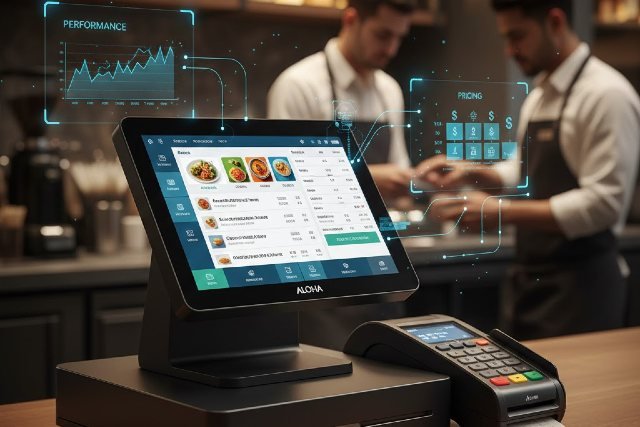
The Aloha POS System is one of the most recognized point-of-sale solutions in the restaurant and hospitality industry. Known for its reliability, robust features, and industry-focused functionality, Aloha has powered thousands of restaurants — from small cafés to multi-location franchises — for over two decades.
- 1. Menu Management & Customization
- 2. Order Management & Tableside Operations
- 3. Integrated Kitchen Display Systems (KDS)
- 4. Payment Processing
- 5. Staff & Labor Management
- 6. Inventory Management
- 7. Multi-Location Support
- 8. Reporting & Analytics
- 9. Online Ordering & Delivery Integrations
- 10. Loyalty, Marketing & CRM Tools
In this detailed review, we break down the features, pricing, performance, pros, cons, and real-world use cases of the Aloha POS System to help you decide whether it’s the right fit for your business.
What Is the Aloha POS System?
The Aloha POS System is a restaurant-focused point-of-sale software developed by NCR, a globally recognized technology provider in the retail and hospitality sector. This POS platform is designed to handle:
- Table service and quick service ordering
- Kitchen operations
- Payment processing
- Staff management
- Inventory tracking
- Multi-location management
It is particularly well-known for its stability, making it a popular choice for busy, high-volume restaurant environments.
Aloha POS System Features (Full Breakdown)
Below is a comprehensive analysis of the key features that make Aloha one of the top hospitality-focused POS platforms.
1. Menu Management & Customization
Aloha allows restaurants to build fully customized menus, including:
- Custom modifiers
- Combo meals
- Price variations
- Upsell prompts
- Time-based menus (happy hour, breakfast, late-night)
This flexibility is ideal for multi-concept restaurants or establishments that frequently update their offerings.
2. Order Management & Tableside Operations
The system excels at handling:
- Dine-in orders
- Quick-service menu flow
- Coursing and fire times
- Table transfers
- Split checks
- Server routing
- Real-time table status updates
Many restaurants prefer Aloha’s ordering system because it simplifies complex service workflows and reduces staff training time.
3. Integrated Kitchen Display Systems (KDS)
Aloha’s KDS supports:
- Color-coded order views
- Automated firing
- Real-time order progress
- Bump bars or touchscreens
This improves kitchen speed, reduces ticket errors, and ensures consistent communication between front and back of house.
4. Payment Processing
The Aloha POS System supports:
- EMV chip payments
- Contactless/NFC (Apple Pay, Google Pay)
- Gift cards
- Pay-at-table devices
- Scan-to-pay QR codes
Integrated payment processing ensures fast and secure transactions.
5. Staff & Labor Management
Aloha provides:
- Employee scheduling
- Time tracking & labor reports
- Role-based permissions
- Overtime monitoring
- Tip management
Restaurants can manage payroll data more efficiently and avoid labor compliance issues.
6. Inventory Management
Aloha’s inventory tools allow you to:
- Track food costs
- Monitor stock levels
- Predict demand
- Reduce waste
- Automate purchase orders
Although not the most advanced inventory system, it integrates with many third-party solutions for enhanced functionality.
7. Multi-Location Support
Aloha is built for scalability. Chain restaurants can:
- Sync menus across locations
- Standardize pricing
- Compare reports between units
- Manage permissions for multiple stores
This is one of the reasons top restaurant brands use Aloha.
8. Reporting & Analytics
Aloha’s reporting suite includes:
- Sales performance reports
- Hourly and daily revenue breakdowns
- Employee productivity reports
- Labor cost analysis
- Product mix reports
- Real-time dashboards
This level of insight helps restaurant owners make data-driven operational decisions.
9. Online Ordering & Delivery Integrations
Aloha integrates with:
- DoorDash
- Uber Eats
- Grubhub
- Chowly
- Olo
This prevents the need for multiple tablets and syncs online orders directly into the POS.
10. Loyalty, Marketing & CRM Tools
Aloha offers tools for:
- Loyalty programs
- Digital promotions
- Email marketing
- Mobile app integrations
- Customer feedback capture
These tools help restaurants boost repeat business and improve customer satisfaction.
Aloha POS System Pricing
Aloha POS pricing varies depending on:
- Business size
- Number of locations
- POS terminals
- Hardware needs
- Additional modules
- Payment processing setup
Estimated Pricing Overview
| Feature | Cost Estimate |
|---|---|
| Software License | $50–$200 per month per terminal |
| Hardware Bundles | $1,200–$4,000 per station |
| Add-Ons (Loyalty, KDS, Online Ordering) | $25–$150 per month |
| Installation & Setup | $500–$3,000 depending on complexity |
| Support & Maintenance | $50–$200 per month |
Because Aloha is typically sold through authorized NCR dealers, exact pricing varies by region.
Aloha POS System Performance Review
Restaurants consistently praise Aloha for its speed, reliability, and stability — particularly in fast-paced environments.
Performance Highlights
- Fast transaction times
- Minimal downtime
- Consistent responsiveness even with large menus
- Dependable hardware built for restaurant use
- Excellent for high-volume operations
Aloha is widely regarded as one of the most stable legacy POS systems in the restaurant industry.
Aloha POS System Pros
- Extremely reliable and built for busy restaurants
- Intuitive interface for servers and managers
- Scalable for multi-location operations
- Strong reporting and analytics
- Excellent offline mode
- Large ecosystem of third-party integrations
- Industry-leading support through NCR partners
Aloha POS System Cons
- Pricing can be higher than cloud-based competitors
- Some features rely on legacy hardware
- On-premise setup requires local servers
- Updates may require dealer assistance
- Less flexible than modern cloud-only POS systems
Who Should Choose the Aloha POS System?
The Aloha POS System is ideal for:
Full-service restaurants
Bars and nightclubs
Chain restaurants
Busy quick-service restaurants
Multi-location brands
Hotels and hospitality groups
If your business requires reliability, speed, and scalability, Aloha is often a top choice.
Aloha POS System vs Competitors
| Feature | Aloha POS | Toast | Square for Restaurants | Clover |
|---|---|---|---|---|
| Reliability | ⭐⭐⭐⭐⭐ | ⭐⭐⭐⭐ | ⭐⭐⭐⭐ | ⭐⭐⭐ |
| Pricing | Higher | Moderate | Low | Moderate |
| Offline Mode | Excellent | Moderate | Moderate | Good |
| Best For | Busy restaurants | Full-service | Small restaurants | Retail + small eateries |
| Hardware | Proprietary | Proprietary | Flexible | Flexible |
Aloha continues to outperform many competitors in stability and multi-location control.
Frequently Asked Questions About the Aloha POS System
1. Is the Aloha POS System cloud-based?
Aloha offers a hybrid model: on-premise stability with optional cloud-connected features.
2. Does Aloha support online ordering?
Yes. Aloha integrates with major delivery apps and online ordering platforms.
3. Is Aloha expensive compared to other POS systems?
It can be. However, its reliability often justifies the higher cost for busy restaurants.
4. Can small restaurants use Aloha?
Yes, but smaller establishments may find more affordable cloud POS systems like Square or Clover.
5. Is the Aloha POS System secure?
Yes. Aloha meets PCI compliance and uses encrypted payment processing.
Real-World Example: Aloha in a Busy Restaurant
A high-volume steakhouse in Chicago reported:
- 20% reduction in order mistakes
- Faster table rotation times
- Improved kitchen efficiency with KDS
- More accurate nightly revenue reports
This demonstrates why Aloha remains popular among full-service and fine-dining establishments.
Conclusion
The Aloha POS System stands out as one of the most reliable and feature-rich solutions for restaurants and hospitality businesses. With powerful tools for table management, reporting, inventory, payments, and multi-location oversight, it remains a top contender for brands that need stability and performance.
While its pricing and legacy components may not suit every business, restaurants that prioritize speed, durability, and operational efficiency will find Aloha to be a strong investment.
If you’re looking for a POS system that can keep up with high demand, handle complex workflows, and support expansion, the Aloha POS System is an excellent choice.